
The best click fraud protection software depends on where the risk shows up. A small PPC team may need a focused Google Ads click-fraud tool. An agency may need multi-account monitoring and client reporting. An enterprise may need broader invalid-traffic or ad-fraud analysis. A product, fraud, or security team may care less about the paid click itself and more about what suspicious paid traffic does after it reaches forms, trials, signups, logins, downloads, or checkout.
So this guide does not crown one universal winner. It gives you a buyer-fit map: channel mix, evidence quality, false-positive tolerance, reporting needs, and operational maturity. For the broader definition and risk taxonomy, see GeeTest’s guide to click fraud. This page is the shortlist and evaluation framework.
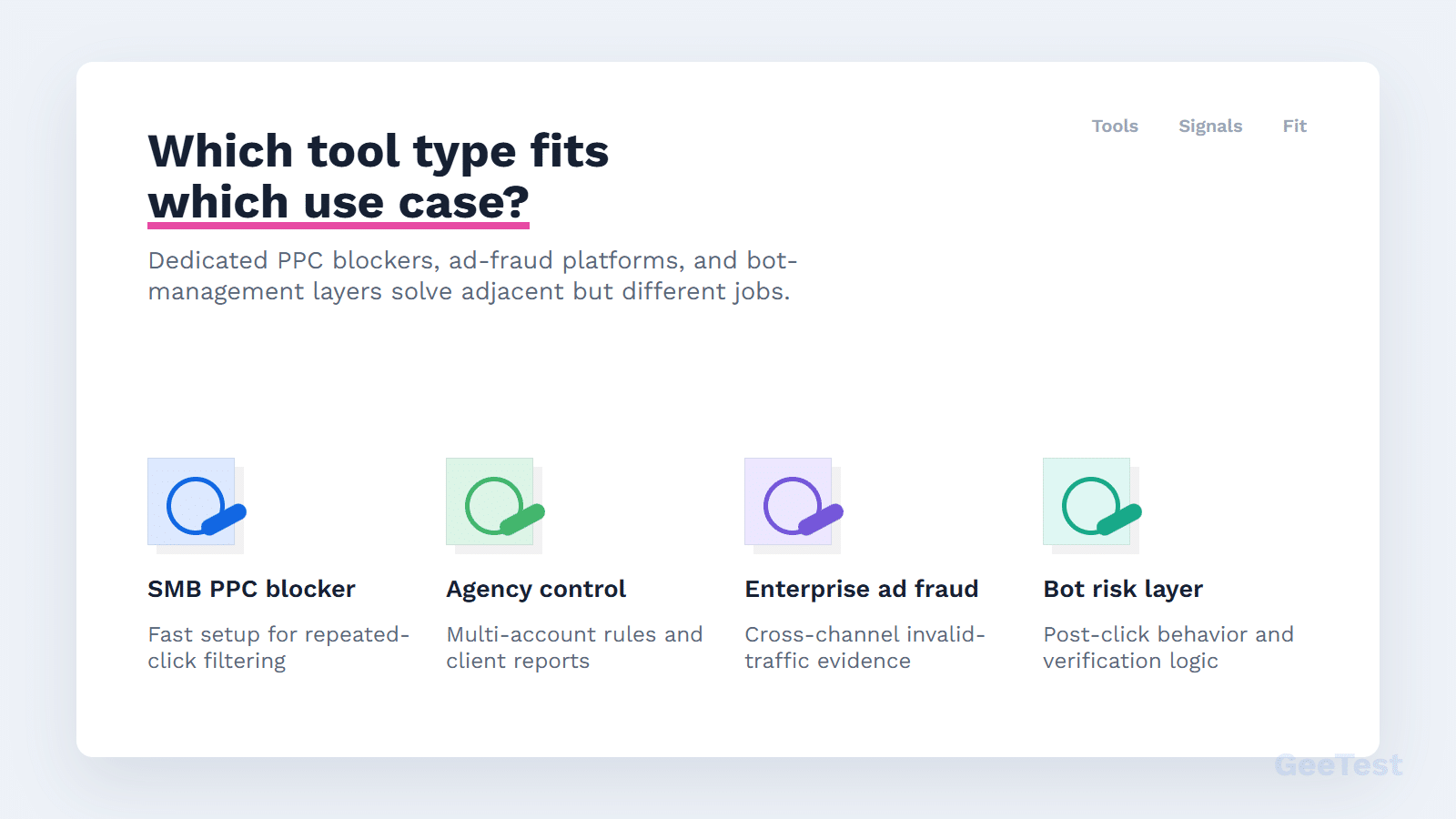
Best Click Fraud Protection Software by Use Case
Use this quick map before reading tool notes. It is a starting point, not a final ranking.
| Use Case | Best-Fit Tool Category | Tools Commonly Evaluated | What to Verify |
|---|---|---|---|
| Search/social PPC budget waste | Dedicated PPC click-fraud protection | ClickCease, ClickGuard, Fraud Blocker, Clixtell, ClickGuardian-style tools | Ad account integrations, click evidence, review mode, false-positive controls |
| Agency with many accounts | Multi-account PPC monitoring | ClickCease, ClickGuard, Fraud Blocker, Clixtell | Client reporting, account-level policies, workflow efficiency |
| Enterprise invalid traffic | Broader ad-fraud / invalid-traffic platform | TrafficGuard, Anura, CHEQ, Spider AF | Channel breadth, data access, support model, evidence quality |
| App, affiliate, or partner fraud | Specialized fraud analytics | Spider AF, Anura, TrafficGuard-style platforms | Partner attribution, SDK/server integration, traffic-source quality |
| Post-click bot and account risk | Bot/risk-control layer | GeeTest plus existing PPC/ad-fraud tooling | Device, IP, behavior, verification, and business-rule actions |
1. Dedicated PPC Protection for Search and Social Ads
Dedicated PPC tools are usually the first stop when the visible problem is wasted Google Ads, Microsoft Ads, or social ad spend. They tend to focus on ad account connections, click tracking, IP or placement exclusions, campaign dashboards, and proof reports. They can be useful when the buyer’s question is direct: which paid clicks look invalid, and what can we review or exclude?
The limitation is scope. A PPC tool may tell you a click looks suspicious, but it may not explain what happened after the visitor reached your owned site, submitted a form, created an account, or triggered downstream abuse.
2. Broader Ad-Fraud Platforms for Enterprise Teams
Enterprise invalid-traffic and ad-fraud platforms usually serve teams with more channels, more data sources, and higher governance needs. They may fit app, affiliate, programmatic, partner, or go-to-market abuse patterns better than a narrow PPC blocker. The tradeoff is complexity. Broader platforms often require more implementation work, stakeholder alignment, and data review.
If your problem is a small paid-search campaign, a large enterprise platform may be more than you need. If suspicious traffic affects paid media, partner traffic, and owned-site flows, a narrow PPC blocker may be too small.
How to Choose Click Fraud Protection Software
Before comparing tools, define what the software must prove. A good tool should show why traffic is suspicious, how confident the system is, what action was taken, and whether the business result improved.
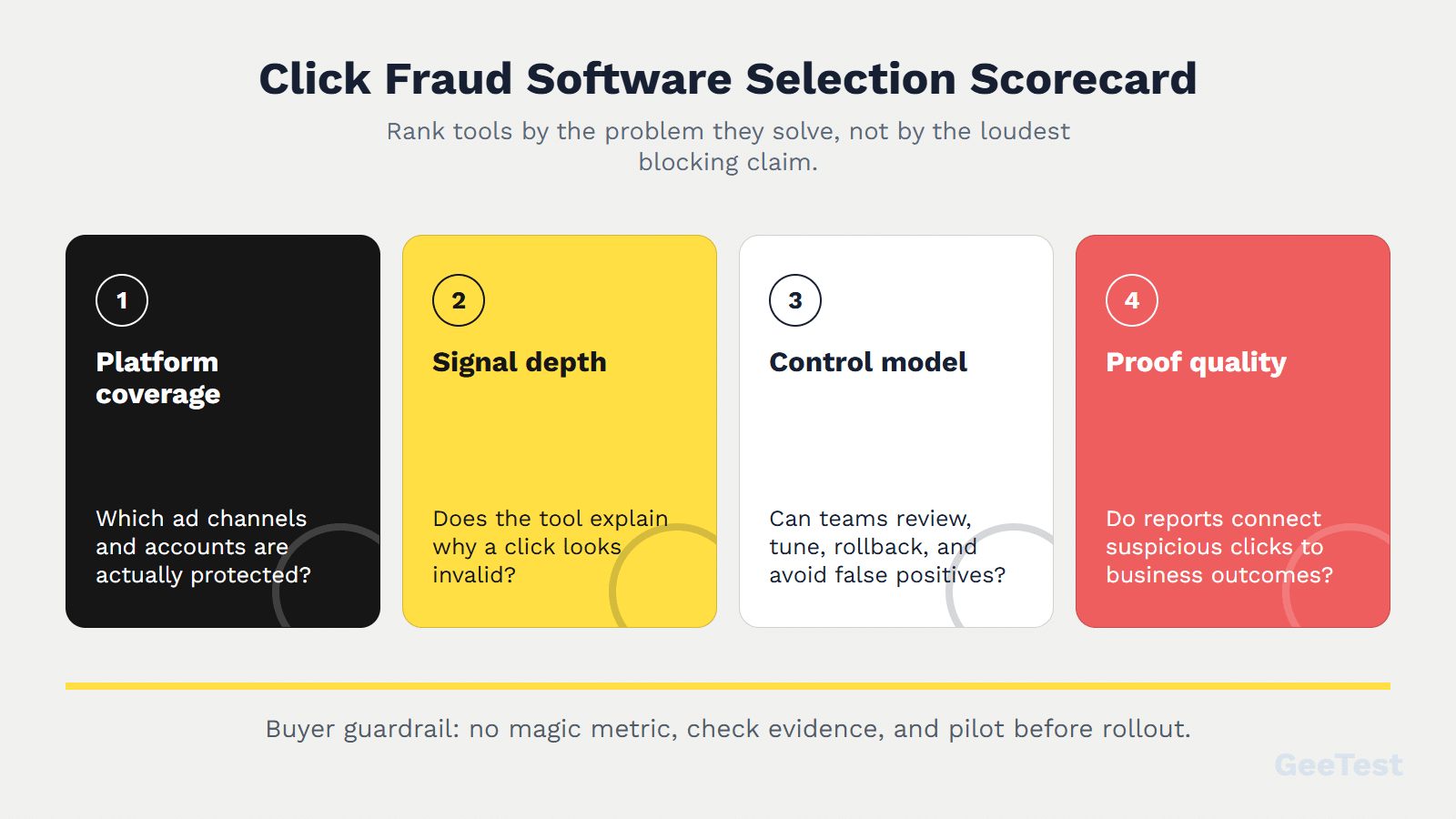
A practical buying process starts with a scope decision. Do you need media-layer protection, broader invalid-traffic analysis, agency workflow, partner-fraud visibility, or owned-site bot and risk response? Then decide who will operate the tool: PPC, agency operations, analytics, fraud, security, product, or engineering. A technically strong tool can still fail when no team owns review, enforcement, and follow-up.
1. Signals Should Explain Why a Click Looks Invalid
Look for more than IP blocking. Useful signals may include device patterns, user-agent and browser data, proxy or data-center indicators, location and timing clusters, campaign context, session behavior, conversion quality, and repeated account or form behavior. The tool should not merely label traffic as "bad." It should explain the reason well enough for a human to audit the decision.
2. Controls Need Review Mode and Rollback
False positives are the hidden cost of click fraud protection. If a tool blocks real prospects, the campaign may look safer while revenue suffers. Prioritize review mode, allowlists, thresholds, staged rollout, clear reason codes, and rollback. A useful workflow lets the team observe first, enforce later, and fix mistakes.
3. Reports Should Tie Clicks to Conversion Quality
Reporting should connect suspicious clicks to spend, leads, conversion quality, downstream fraud, and response actions. Blocked-click volume alone is not enough. Ask the uncomfortable questions: did qualified conversions improve, did spam leads fall, did invalid-click credits change, and did sales or fraud teams see less noise?
Tool Categories, Compared
The most common mistake is comparing tools that solve different layers.
| Category | Strong Fit | Weak Fit | Buyer Question |
|---|---|---|---|
| Dedicated PPC blockers | Paid-search or social campaigns with clear click waste | Post-click account abuse or app/affiliate fraud | "Which clicks should we exclude or review?" |
| Invalid-traffic platforms | Multi-channel, enterprise, app, affiliate, or partner fraud | Very small teams without data maturity | "Which traffic sources and partners are risky?" |
| Agency tools | Many PPC accounts, repeatable client reporting | Deep site-side fraud decisions | "Can we manage protection across clients efficiently?" |
| Site-side bot/risk controls | Suspicious sessions, forms, trials, signups, logins, downloads, checkout | Ad-platform billing disputes | "Does paid traffic behave like real users after the click?" |
1. PPC Blockers vs. Invalid-Traffic Platforms
PPC blockers usually focus on click-level evidence and ad-platform controls. Invalid-traffic platforms may cover more channels, partners, apps, programmatic traffic, or enterprise workflows. Neither category removes the need to understand platform rules. Google Ads has its own invalid-traffic systems and documentation, so software should complement official review rather than promise guaranteed refunds.
That boundary is important because Google describes invalid traffic as a platform-side quality and billing concern, while third-party software usually adds monitoring, evidence, blocking workflow, or traffic-quality analysis. A tool can help you find patterns and act faster. It should not imply that Google has no invalid-traffic controls or that refunds are guaranteed.
2. Click-Level Blocking vs. Site-Side Risk Controls
Click-level blocking protects the media layer. Site-side risk controls protect the owned journey after the ad click. If the main issue is wasted PPC spend, start with PPC-focused tools. If suspicious paid traffic creates spam forms, fake accounts, trial abuse, SMS abuse, or checkout risk, add post-click bot and risk controls.
Tool Shortlist: Where Each Platform Fits
The table below is not a universal ranking. It is a buyer-fit map. Verify features, integrations, pricing, and support close to purchase, because software details change.
| Tool / Platform | Best-Fit Scenario | Strength to Evaluate | Caution |
|---|---|---|---|
| ClickCease | PPC advertisers and agencies evaluating click protection | Ad account integration, click monitoring, blocking workflow | Validate false-positive controls and business impact |
| ClickGuard | PPC teams needing rule-based protection and reporting | Google Ads-oriented governance and visibility | Confirm channel scope and rollout workflow |
| Fraud Blocker | Teams wanting straightforward PPC click protection | Simplicity, alerts, exclusion support | Check whether signal depth fits complex fraud patterns |
| Clixtell | PPC teams also watching calls or lead quality | Click/call tracking context | Verify fit outside its strongest channels |
| TrafficGuard | Broader invalid traffic and ad-fraud programs | Multi-channel and enterprise traffic-quality framing | Implementation scope may exceed small PPC needs |
| Spider AF | App, affiliate, or ad-fraud teams | Specialized fraud-detection use cases | Verify relevance for pure search PPC needs |
| Anura | Teams needing ad-fraud and traffic-quality analysis | Traffic validation and fraud analysis | Confirm integration and reporting fit |
| CHEQ | Enterprise go-to-market and invalid-traffic protection | Enterprise governance and GTM security fit | Validate cost, rollout complexity, and use-case match |
| GeeTest | Post-click bot and risk-control layer | Device, IP, behavior, verification, and business-rule response | Not a dedicated PPC click blocker or refund tool |
1. PPC and Agency-Focused Tools
ClickCease, ClickGuard, Fraud Blocker, Clixtell, and similar tools are often evaluated when the team wants a dedicated PPC protection layer. They may be the right starting point when the visible problem is ad-account waste, suspicious search or social clicks, and the need for clear campaign reports.
2. Enterprise and Specialized Fraud Platforms
TrafficGuard, Spider AF, Anura, CHEQ, and similar platforms may fit teams with wider invalid-traffic exposure. They can be more relevant when fraud appears across apps, affiliates, partner traffic, programmatic ads, or enterprise go-to-market systems. Before choosing a broad platform, check implementation cost, data access, internal ownership, and operational maturity.
3. GeeTest for Post-Click Bot and Risk Control
GeeTest belongs in the stack when suspicious paid traffic reaches owned-site actions. Device and behavior signals can help determine whether a session looks trustworthy. Device Fingerprinting can support device and risk-signal analysis, while Adaptive CAPTCHA can provide step-up verification for higher-risk actions. A Business Rules Engine can help map risk signals to actions such as observe, challenge, limit, or block.
That role is different from a dedicated PPC blocker. GeeTest helps protect post-click flows such as signups, logins, SMS, downloads, trials, forms, promotions, or account actions. It does not replace Google Ads invalid-traffic review, PPC click-blocking tools, refund workflows, or bid-management software.
Pilot Checklist Before You Buy
1. Set a Baseline Before Blocking Anything
Before buying or enforcing software, record baseline spend, clicks, conversion rate, lead quality, invalid-click credits, suspicious sessions, spam forms, account abuse, and sales acceptance. Without a baseline, it is hard to know whether protection improved the business or merely changed the dashboard.
Use review mode when possible. Let the tool flag suspicious activity first, then review examples before automatic enforcement. This reduces the chance that a broad rule blocks real buyers.
You may not need a dedicated tool yet if the account has low spend, weak conversion tracking, no clear traffic baseline, or no owner for weekly review. In that case, fix measurement first: clean campaign structure, track qualified conversions, review placements, check search terms, and document suspicious sessions. Software is more valuable when it has reliable data to learn from and a team ready to act on the evidence.
2. Measure False Positives and Business Impact
During the pilot, inspect both blocked and allowed traffic. Watch for legitimate users affected by shared IPs, mobile networks, business campuses, VPNs, or travel. Compare blocked-click reports with qualified conversions, lead quality, and downstream fraud. If the tool reduces suspicious clicks but also suppresses good demand, the rules need tuning.
Assign an owner for each layer: PPC manager for campaign controls, analytics owner for measurement, fraud or risk owner for suspicious sessions, and engineering or product owner for site-side enforcement.
A strong pilot ends with a clear go or no-go decision. Continue if the tool improves qualified conversion quality, reduces obvious waste, and keeps false positives manageable. Tune or stop if the tool mainly creates alarming dashboards, blocks uncertain traffic, or requires more operational effort than the risk justifies.
Where GeeTest Fits in the Stack
GeeTest is most useful when the traffic problem does not stop at the click. Suspicious paid traffic may arrive on a landing page and then attempt forms, registrations, logins, downloads, SMS verification, trial creation, coupon use, or checkout. At that point, the business needs a risk decision, not only a click report.
1. Device and Behavior Signals Add Post-Click Context
Post-click controls evaluate whether a visitor behaves like a real user after the ad click. Device identity, IP risk, environment signals, behavioral patterns, and session outcomes can help risk teams separate normal prospects from automation or abuse. This context is especially useful when a suspicious click turns into a high-risk action.
2. Verification Should Protect High-Risk Actions
Verification should match risk level. Normal users should face as little friction as possible, while suspicious sessions can receive step-up checks. Business rules can then decide whether to observe, challenge, limit, or block. This approach complements PPC tools: one layer protects ad spend, another protects the owned conversion path.
FAQ About Click Fraud Protection Software
1. What is the best click fraud protection software?
There is no universal best tool. For PPC waste, start with dedicated click-fraud tools. For broader invalid traffic, evaluate ad-fraud platforms. For suspicious post-click behavior, add bot and risk controls. Choose based on channel mix, evidence quality, false-positive controls, reporting, integration effort, and support.
2. Does Google Ads already block invalid clicks?
Google Ads uses invalid-traffic systems and may filter or credit invalid activity. Advertisers should still monitor business outcomes because platform filtering does not show every downstream risk after the click reaches an owned site.
3. How much does click fraud protection software cost?
Cost depends on ad spend, click volume, number of ad accounts, supported channels, service model, integrations, and whether the buyer needs enterprise traffic-quality analysis. Verify pricing close to purchase; do not rely on stale listicle pricing.
4. Is GeeTest click fraud protection software?
GeeTest is not a dedicated PPC click-fraud blocker, ad-refund service, or bid-management tool. It can support the post-click layer by helping teams evaluate device, IP, behavior, and verification risk after suspicious traffic reaches owned flows.