
API rate limiting is usually introduced as a quota problem. In abuse work, that framing is too small. The real question is which action becomes costly when automation repeats it: a login attempt, a password reset, a coupon check, an SMS send, a product search, or a data export.
That difference matters because attackers do not always need speed. A script that tests one password per account can still be dangerous. A scraper that pulls a few records per session can still drain commercial data. A good limit therefore does two jobs: it reduces request pressure, and it gives the risk system a moment to decide whether the caller should continue, slow down, verify, or stop.
What API Rate Limiting Should Actually Protect
At the protocol level, a rate limit caps how often a caller can make a request during a defined window. When the caller crosses the line, the server may reject the request, slow it, or return a response such as 429 Too Many Requests. Retry-After and RateLimit-style headers can help legitimate clients back off cleanly.
The practical policy starts one layer higher. Do not ask only, "How many requests per minute?" Ask, "What loss happens if this exact action is repeated?" A password-reset request creates support and account risk. A search endpoint exposes inventory and pricing. A payment validation endpoint attracts card testing. Those are not the same problem, so they should not inherit the same quota just because they sit behind one gateway.
1. The short definition
An API rate limit is a server-side rule that restricts request frequency for a selected key, such as an IP address, account, API token, device, endpoint, or business action. Fixed windows, sliding windows, token buckets, and leaky buckets are common implementations. The algorithm matters, but the chosen key usually matters more for abuse prevention.
2. The security boundary
A limit slows activity; it does not prove who is behind the activity. A real user can hit a tight search quota during a flash sale. A bot operator can stay below every IP threshold by rotating residential proxies. Treat the limit as a control point, then let device, account, behavior, and business-risk signals decide the response.
Where Limits Reduce API Abuse
The most useful limits sit close to valuable actions. A registration flow, login endpoint, checkout step, coupon validation endpoint, SMS action, and product-search API should each have a policy that reflects its own cost and abuse pattern.
| Abuse scenario | Useful limit | Why it helps | Where it fails |
|---|---|---|---|
| Credential stuffing | Account, username, device, IP, login action | Slows repeated guessing and protects accounts | Distributed traffic can stay below IP thresholds |
| SMS pumping | Phone number, country, account age, device, send action | Controls cost and repeated message abuse | Fraud rings can rotate numbers or devices |
| API scraping | API key, endpoint, account tier, records returned | Protects data and infrastructure | Low-volume extraction may avoid spike alerts |
| Fake signup | Device, IP, session, registration action | Raises the cost of bulk account creation | Device spoofing can hide repeated automation |
| Card testing | Payment token, card BIN, account, checkout action | Reduces rapid validation attempts | Attempts may be spread across accounts |
The first failed deployment is often not caused by the threshold number. It is caused by attaching the threshold to an identifier the attacker can rotate. An IP rule may look clean while one campaign is spread across many addresses. An account rule may look strict while the same device creates fresh accounts. Keep the quota, but widen the identity view.
Exceptions need the same care. Partner integrations, internal tools, premium accounts, and support overrides may require higher limits. They still need an owner, an expiration date, and monitoring. A stolen privileged token should not get a faster abuse lane just because it was once trusted.
How Bots Bypass Simple Limits
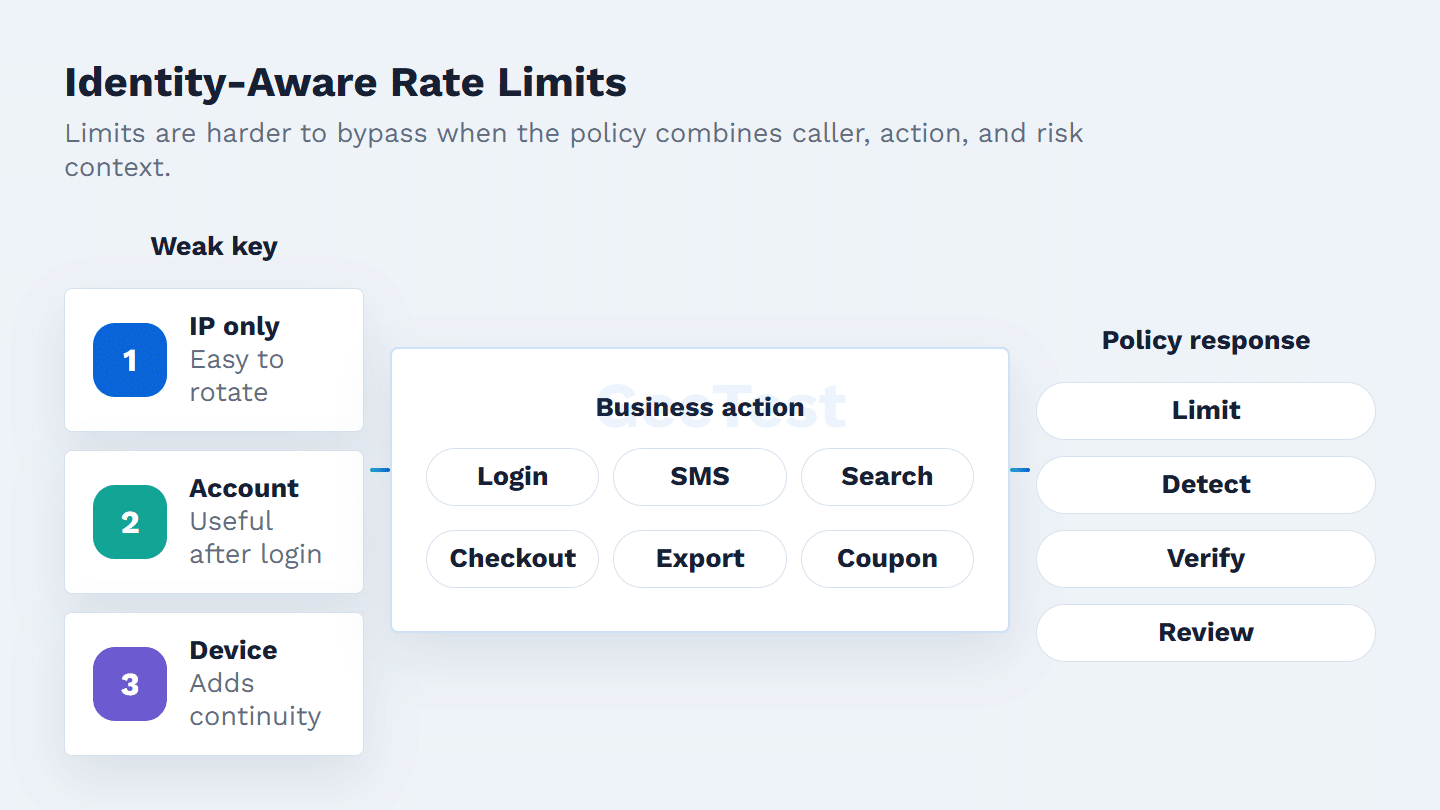
Simple rules assume the caller remains recognizable. Modern automation is built around making that assumption unreliable.
1. Distributed traffic
A bot operator can spread requests across residential proxies, mobile networks, cloud hosts, compromised machines, or leased infrastructure. A rule such as "100 requests per IP per minute" may show no single IP breaking policy while the business still absorbs one coordinated attack. This is where account, device, session, payload, and action-level correlation become useful.
2. Low-and-slow patterns
Not every campaign announces itself with a spike. A scraper may collect a few pages, wait, and return with a new token. A credential stuffing run may try only a handful of passwords per account each day. A signup farm may add human-like pauses. These patterns are designed to look boring in a volume report.
Track relationships instead of only bursts: failed logins per account, new accounts per device cluster, SMS sends per phone range, records returned per account, and repeated sensitive actions across related sessions. The limit should feed that investigation rather than replace it.
Build Limits Around Identity, Action, and Risk
A resilient policy starts with three checks: who appears to be calling, which action is being attempted, and how sensitive that action is at this moment.
Useful keys include IP address, API key, account ID, session ID, JWT subject, device identifier, phone number, payment instrument, endpoint, and customer tier. None is perfect. IPs are shared and easy to rotate. Accounts can be new or stolen. API keys leak. Device signals can be spoofed. The goal is not a magic identifier; it is enough context that one weak signal cannot decide the whole outcome.
For high-risk actions, device and behavior intelligence can improve the policy. Device Fingerprinting can help identify repeated device patterns that are not obvious from account or IP alone. The response should still be policy-led: allow, throttle, step up verification, block, or review.
Rate Limiting Is Only One Abuse-Control Layer
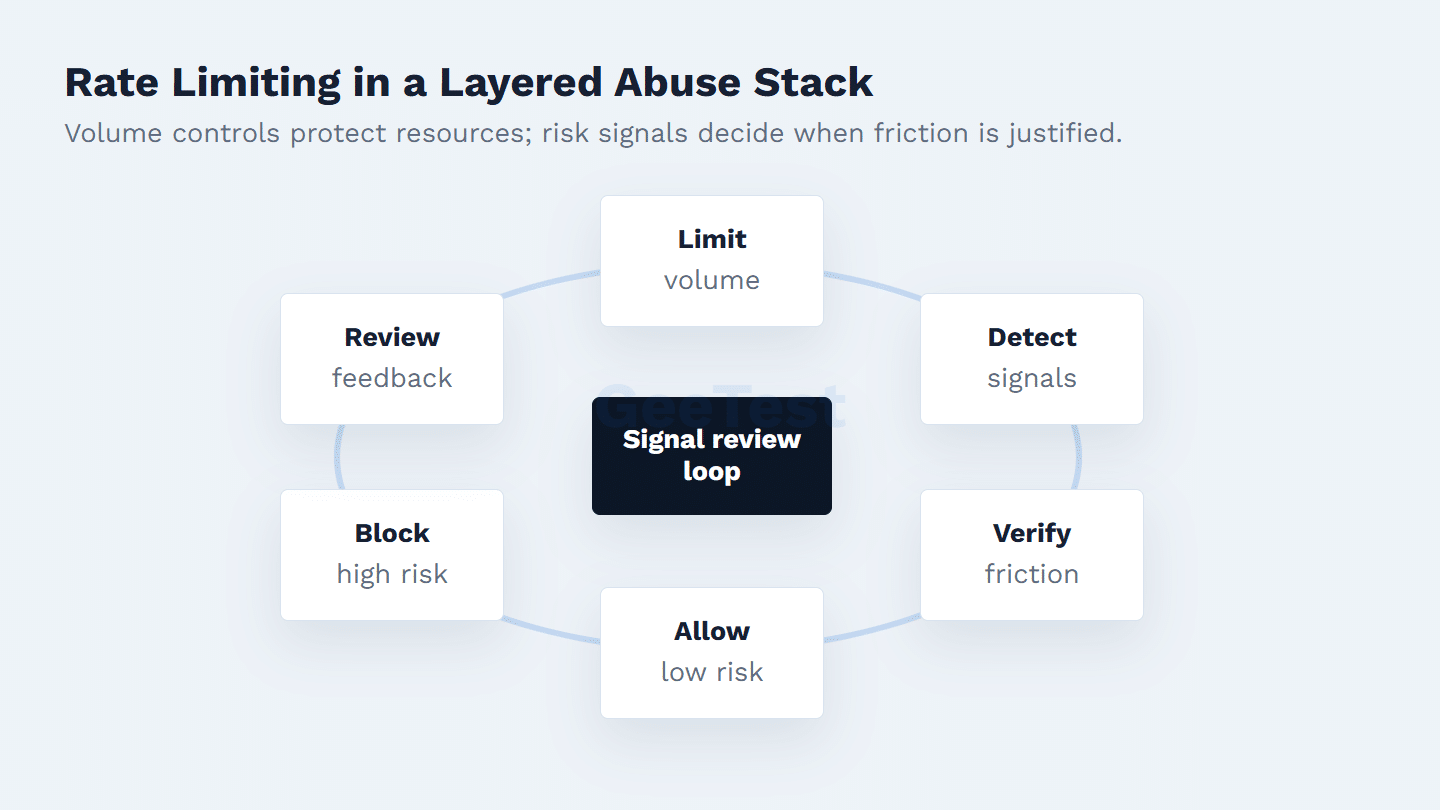
Rate limiting works best as the first measurable control in a broader abuse response.
| Control | Best use | Not enough when |
|---|---|---|
| Rate limiting | Capping traffic volume and protecting resources | Attackers distribute requests below the threshold |
| Throttling | Slowing uncertain clients before rejection | The caller is clearly malicious |
| Bot detection | Classifying automation and session risk | The site needs a user-facing proof step |
| Adaptive CAPTCHA | Adding proportional verification at risky moments | Upstream signals are missing or stale |
| Business rules | Turning signals into allow, verify, block, or review actions | Inputs are incomplete or inconsistent |
OWASP’s API Security Top 10 category for unrestricted resource consumption is useful because it treats limits as both reliability and abuse controls. The IETF RateLimit Fields for HTTP specification is also helpful for client communication. Neither document turns a quota into identity proof.
Implementation Checklist for Security Teams
Start with the action. Login, registration, checkout, SMS send, coupon validation, password reset, and data export deserve different treatment. Then choose the identity keys that are hardest to rotate for that action. A login flow may use account, username, device, failure ratio, and IP. A scraping-prone API may use API key, endpoint, account tier, records returned, and device or session continuity.
Give operators more than two outcomes. Normal traffic can continue. Suspicious bursts can slow down. Gray-zone sessions can verify. Clear abuse can be blocked. Edge cases can go to review when the business impact justifies it. For gray-zone traffic, GeeTest Adaptive CAPTCHA can add a risk-based verification layer at sensitive touchpoints. Pair that with broader agent bot defense thinking so the team is not betting everything on static thresholds.
After launch, watch what changes. Useful metrics include 429 rate by endpoint, false-positive complaints, conversion impact, challenge pass rate, login failure ratio, cost per SMS, API data volume per account, and attack recurrence after threshold changes. If abuse drops but high-value users complain, tune the policy rather than declaring victory.
Common Design Mistakes
One mistake is copying a gateway default into every endpoint. "100 requests per minute" may be too loose for password reset, too strict for a partner integration, and irrelevant for slow catalog extraction. Use observed legitimate behavior, endpoint cost, and abuse loss to set the first number.
Another mistake is returning the same response to every caller. A trusted partner that temporarily exceeds quota needs a clean retry path. A new account with unusual device signals may need verification. A credential-stuffing source should not receive enough detail to tune its next run.
The quiet mistake is never revisiting the rule. Attackers learn thresholds. Review traffic just below the cap, compare abuse outcomes before and after the change, and look for shifts from bursts to slow distributed activity. When the pattern changes, lowering the number is rarely the whole answer.
Calibrate Limits Before They Become Production Policy
Treat the first threshold as a hypothesis. Pull recent traffic for the exact endpoint, separate human users, partners, internal tools, search crawlers, and known automation, then set an initial limit that protects the action without punishing the busiest legitimate segment. The number should come from the flow, not from a vendor default.
Run the policy in observe mode before enforcement when the business risk allows it. Log the key used, matched threshold, response that would have been applied, account or device context, and downstream outcome. This gives security and product teams a shared view of who would have been slowed, challenged, or blocked.
The rollout should be staged. Start with low-risk throttling or soft warnings, then move sensitive paths to stricter responses once false positives are understood. Keep a small review queue for gray-zone sessions. If a rule blocks a VIP customer, partner integration, or critical crawler, the team should be able to see why the policy fired and adjust the key, threshold, or exception scope without disabling the whole control.
Example Policy Map
For login, combine account, username, device, IP, and failure ratio. Allow normal sessions, slow repeated failures, and verify suspicious device-account pairs. For SMS sends, combine phone number, country, device, account age, and cost. Slow suspicious bursts, block clear abuse, and review country-level anomalies. For public search or catalog APIs, combine API key, endpoint, account tier, and records returned. Cap extraction volume and alert on unusual export patterns.
This map is useful because it is understandable outside the security team. Engineering can see which keys are required. Fraud teams can see the response reason. Product can see where friction appears. Support can explain why a request was slowed or challenged.
For mature teams, the map becomes part of the audit trail. When an analyst asks why a request was challenged, the answer should show endpoint, key, threshold, risk signal, and response reason instead of a vague "rate limited" label.
FAQ
1. What is a good API rate limit?
Use a number that fits the action, not a universal quota. Start with normal traffic, endpoint cost, customer tier, and abuse history. Password reset, SMS send, search, export, and checkout usually need separate limits.
2. How do you fix API rate limit reached?
Legitimate clients should respect Retry-After or RateLimit guidance, reduce concurrency, batch requests, cache responses, and request a higher quota when the use case is valid. API owners should keep errors understandable without exposing security logic.
3. Is rate limiting enough to stop bots?
No. It slows obvious volume abuse, but distributed bots can rotate IPs, accounts, tokens, and devices. Sensitive actions need bot detection, device intelligence, behavior signals, adaptive verification, and business rules.