
A request that says Googlebot in its User-Agent header is making a claim, not presenting proof. Any ordinary HTTP client can copy that label. If a firewall, CDN, or application automatically trusts the label, a scraper or abusive bot may inherit exceptions intended for a legitimate search crawler.
The safe approach is to separate four decisions: read the claim, verify the source, evaluate the request’s behavior and cost, and choose a proportionate response. That sequence protects valuable endpoints without turning a temporary DNS failure into an SEO incident or treating every unknown crawler as malicious.
Why Fake Googlebot Traffic Is a Security Problem
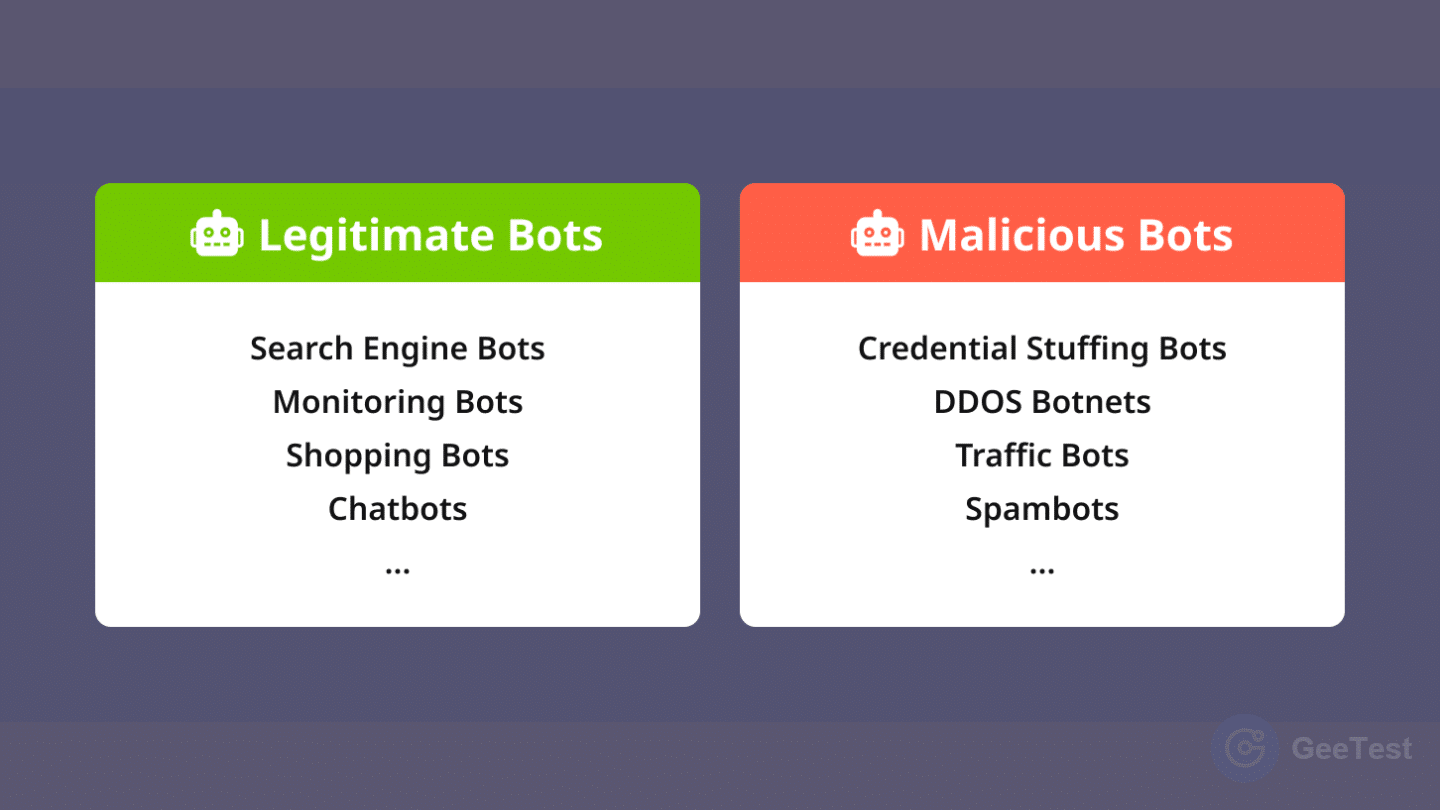
A fake Googlebot is automated traffic that presents itself as a Google crawler without passing the relevant source-verification checks. It may be used for content extraction, reconnaissance, high-rate crawling, or attempts to bypass rules that are relaxed for search engines. This is different from authorized testing in which an internal tool deliberately uses a crawler User-Agent in a controlled environment.
The distinction matters because many organizations create broad allow rules for search crawlers. A User-Agent-only exception can let an impersonator avoid generic bot controls, receive a higher request budget, or reach routes that were never intended to be freely crawled. For background on legitimate crawler roles, keep the adjacent Googlebot explainer separate from this threat-response workflow.
1. The User-Agent is a claim, not proof
User-Agent strings are useful for classification and logging, but they are client-controlled text. They do not authenticate an organization, a network, or a software operator. A policy can use the header to trigger verification, but it should not use the header as the verification result.
That principle also applies beyond Googlebot. A declared identity can be a convenient routing signal; trust should come from evidence that is harder for the requester to choose, such as a source address matching current official ranges or a forward-confirmed DNS relationship.
2. The business cost is more than bandwidth
Over-trusted crawler traffic can consume origin capacity, extract proprietary content, distort analytics, and hide abusive automation among permitted requests. Aggressive blocking creates the opposite risk: real crawlers may lose access, discovery can slow, and security teams may spend time unwinding a rule that was too broad.
The cost therefore depends on the endpoint. A modest crawl rate on public documentation is not equivalent to repeated requests against search, pricing, inventory, generation, or account-related routes. Teams that already manage web-scraping risk should include claimed crawler identity in the same endpoint-cost model.
How to Verify Whether a Googlebot Claim Is Real
Google documents two practical verification paths: match the source IP against its published crawler ranges, or use reverse and forward DNS checks. The operating sequence is:
- Capture the request’s source IP at a trusted edge, accounting for approved proxy headers.
- Compare it with Google’s current crawler prefixes or perform a reverse DNS lookup.
- If using DNS, validate the returned hostname against the suffix permitted for that crawler class, then resolve that hostname forward.
- Confirm that the forward result contains the original source IP before assigning verified status.
Use Google’s current crawler-verification guidance as the source of record. Do not convert a match failure directly into a permanent block without considering data freshness, DNS health, and endpoint risk.
1. Check Google’s published IP ranges
For automated controls, retrieve Google’s machine-readable common crawler IP data, parse the IPv4 and IPv6 prefixes, and test the source address for prefix membership. Store the retrieval time and data version, refresh on a controlled schedule, and alert if updates fail.
Avoid copying a static address list into a long-lived rule. Prefixes can change, and an old allowlist can reject valid traffic or retain addresses that no longer deserve the same treatment. The control should preserve a last-known-good copy for a defined period and make staleness visible to operators.
2. Use forward-confirmed reverse DNS
Start with a PTR lookup for the source IP. A plausible hostname is not sufficient by itself. Validate the entire suffix boundary rather than looking for the word “google” anywhere in a name, and accept only the suffix that Google’s documentation assigns to that crawler category, such as googlebot.com or google.com.
Next, resolve the hostname with an A or AAAA lookup. The original source IP must appear in the forward result. This forward-confirmed reverse DNS step prevents a third party from relying on a misleading PTR record alone.
3. Handle DNS and data failures safely
DNS timeouts, resolver errors, and stale IP data produce an unknown result, not proof of legitimacy and not proof of malice. Cache successful checks for a bounded period, use short execution timeouts, retain a last-known-good prefix set, and distinguish verified, unverified, and verification unavailable in logs.
For low-cost public pages, an unavailable check may justify observation or a conservative rate limit. For expensive or sensitive routes, it may justify tighter limits or a step-up control. Every fail-safe choice should have an owner, expiry, and rollback path.
What to Do When Googlebot Verification Fails
An unverified claim removes the crawler’s privileged status. It does not automatically establish hostile intent. Choose the response from identity confidence, observed behavior, endpoint cost, and the harm of a false positive.
1. Choose a response by risk and endpoint cost
| Claim status | Behavior and endpoint | Recommended response | Reason |
|---|---|---|---|
| Verified | Normal crawl on public content | Allow and observe within a resource budget | Authenticity supports trust, while budgets preserve availability |
| Unverified | Low-rate access to low-cost public pages | Observe or apply a standard rate limit | Avoids unnecessary blocking while withholding crawler privileges |
| Unverified | Bursty or repetitive access to costly endpoints | Rate-limit; consider selective challenge where appropriate | Controls resource abuse while preserving a recovery path |
| Unverified | Exploit patterns, access-control violations, or sustained harmful automation | Block and investigate | Behavior supplies stronger evidence than the label alone |
| Verification unavailable | Any high-impact route | Use a temporary conservative policy with expiry and review | A dependency failure should not create permanent trust or denial |
Rate limiting is a budget control, not an identity system. Apply it by route and business cost, and account for distributed traffic that can evade a single-IP threshold. The API rate-limiting guide explains why limits work best when combined with broader risk evidence.
2. Preserve evidence and a recovery path
Log the request ID, observed source IP, declared User-Agent, verification method and result, endpoint, behavior signals, action, rule version, and policy owner. For temporary controls, record an expiry. For blocks, provide a documented reversal path so technical SEO and security teams can correct a false positive without bypassing the entire control layer.
Monitor both security and search-health outcomes. A falling abuse rate is not a complete success metric if verified crawlers begin receiving errors. Conversely, normal crawl visibility does not justify unlimited access to computationally expensive routes.
Why Identity Checks Alone Are Not Enough
Identity answers “does this source match the claimed crawler?” It does not answer “should this request receive unlimited resources?” Authentication, authorization, and acceptable behavior are different decisions.
A verified crawler can still create operational pressure because of an application bug, an unexpectedly expensive page, or missing cache controls. An unverified client may be a monitoring tool, a test, or an unknown crawler rather than an attacker. Evaluate velocity, path sequence, repetition, session depth, response cost, account context, and device continuity before assigning a high-impact action.
This is where general bot detection complements crawler verification. Identity evidence establishes provenance; behavioral and contextual evidence estimates risk. An effective bot-detection strategy then maps that evidence to response tiers while measuring false positives.
Build a Layered Policy for Claimed Crawlers
A durable policy treats crawler handling as a small control plane rather than a single firewall expression. The edge captures the source, an identity service applies current Google verification data, the risk layer evaluates behavior and endpoint cost, and the response layer chooses allow, observe, limit, challenge, or block.
1. Separate identity, detection, and response
Assign each control a precise job:
- Identity verification: official IP-prefix matching or forward-confirmed reverse DNS determines whether the Google claim is supported.
- Risk evaluation: behavioral, device, account, velocity, and route-cost signals estimate the likelihood and impact of abuse.
- Response: caching, rate limits, selective verification, blocking, and incident handling constrain the risk.
- Governance: logging, rule versions, expiry, SEO monitoring, and review make the decision reversible and accountable.
GeeTest belongs in the application-layer risk and response portions of this model. Device Fingerprinting can contribute device and continuity signals; Adaptive CAPTCHA can provide selective step-up verification for suitable human-facing flows; Business Rules Engine can orchestrate policies by risk and business context. None of these proves that an IP address belongs to Google, and a CAPTCHA should not be placed in front of a legitimate search crawler as an identity test. Teams evaluating a broader control stack can use the anti-bot solution guide to compare signal, response, friction, and operational fit.
2. Measure false positives and business impact
Track verified-crawler pass rate, unverified-claim volume, rate-limit and block rates, origin compute cost, cache hit rate, challenge outcomes on eligible human flows, and technical SEO crawl health. Segment the metrics by endpoint and rule version so a policy change can be evaluated and rolled back.
Review exceptions regularly. A permanent bypass created during an incident can become a quiet vulnerability, while a permanent block created during a resolver outage can become a long-lived visibility problem. Device continuity can improve risk assessment in application journeys; the device-fingerprinting overview provides additional context, but it remains separate from Google ownership verification.
Turn Verified Identity Into Adaptive Bot Defense
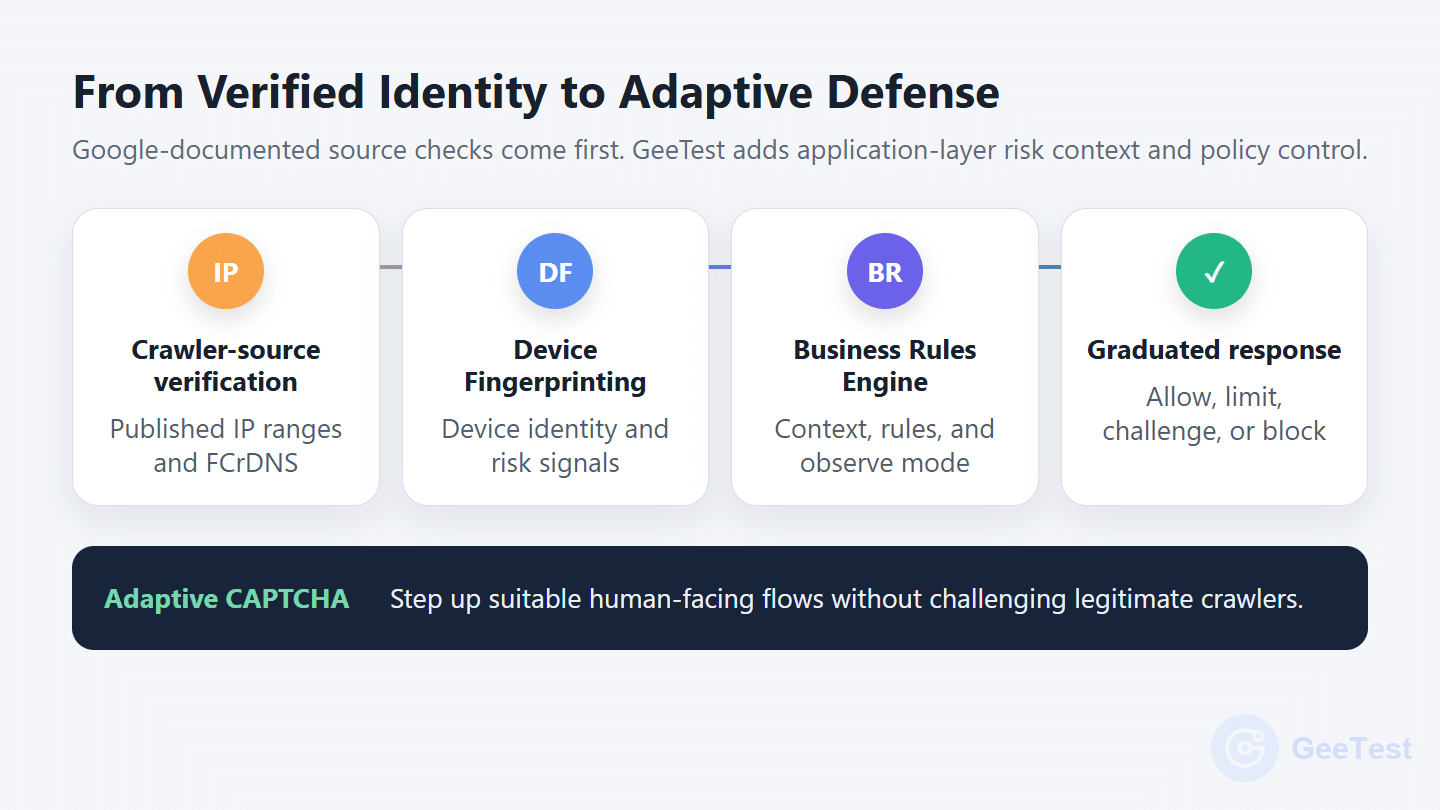
Verifying a Googlebot claim is the first control, not a complete defense. Google’s published IP data or FCrDNS checks whether the source matches its documented crawler infrastructure. GeeTest then helps decide what suspicious traffic may do at the application layer, based on device, behavior, endpoint cost, and business context.
GeeTest extends that application-layer decision with three complementary capabilities:
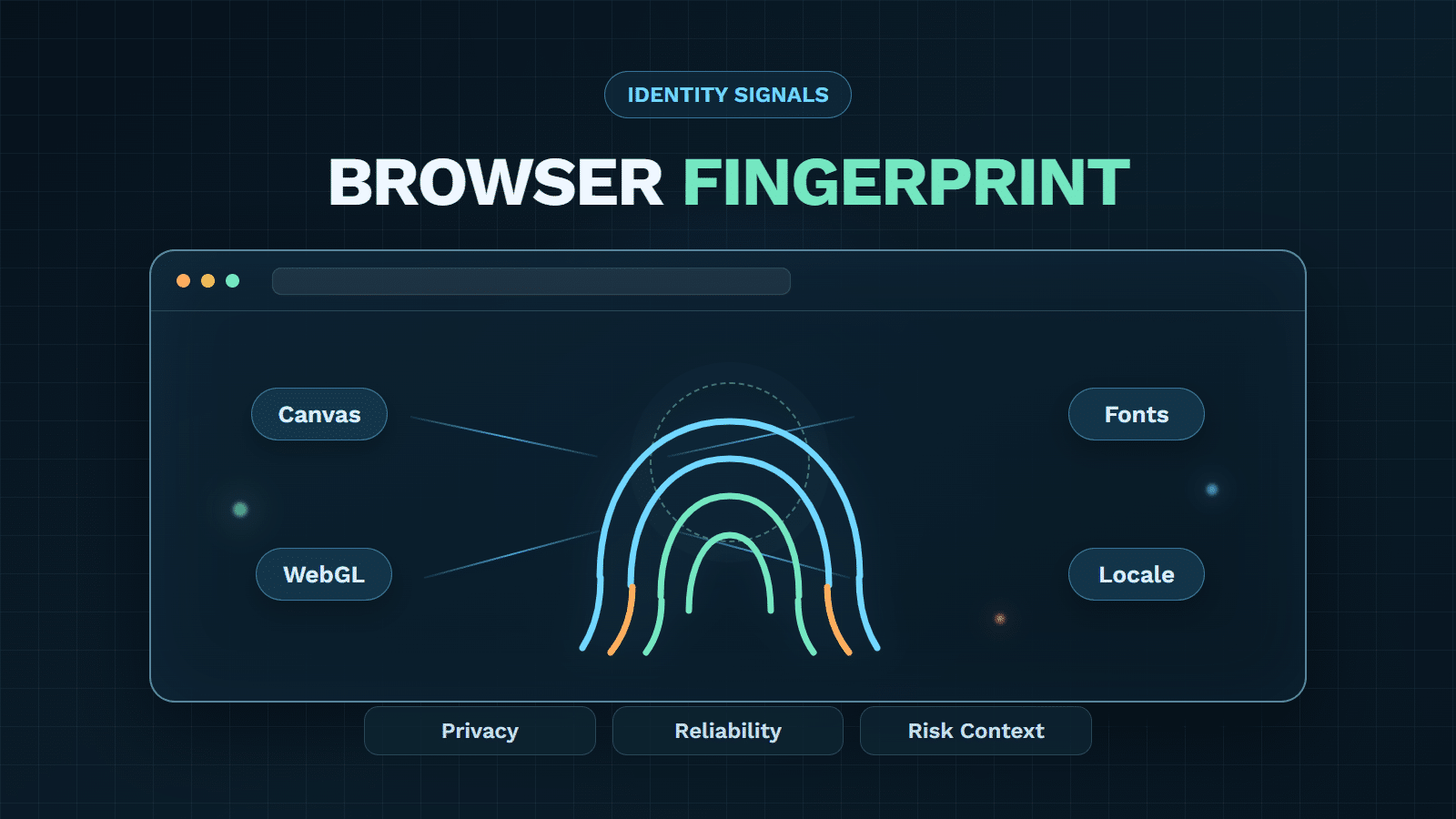
- Device Fingerprinting adds continuity and risk context. Depending on deployment and privacy configuration, it supplies device and risk signals for automation, emulators, and device-masking environments. It does not prove Google ownership.
- Business Rules Engine turns evidence into an operable policy. It combines customer-supplied crawler-verification status with device signals, velocity, endpoint cost, lists, and counters in editable rules. Observe-mode testing and dynamic updates make thresholds easier to test and roll back than hard-coded decisions.
- Adaptive CAPTCHA provides selective step-up verification. Suitable human-facing flows receive step-up challenges while lower-risk users avoid blanket friction. Legitimate crawlers should not be challenged, and CAPTCHA is not Googlebot authentication.
The result is a graduated response: allow verified crawlers within a resource budget, observe or limit low-confidence traffic, apply device and behavior signals to suspicious automation, and reserve challenges for flows where a real user can recover. GeeTest’s advantage is turning Google-documented source checks, richer risk signals, and configurable rules into proportionate action.
Start with endpoints where crawler exceptions create the highest cost or exposure. Map the identity check, risk evidence, policy owner, action, expiry, and rollback path. This gives security, fraud, and SEO teams a shared control model instead of a brittle User-Agent allowlist.
FAQ
1. What is a fake Googlebot?
A fake Googlebot is automated traffic that claims a Google crawler identity, usually through its User-Agent string, but does not pass the relevant source-verification checks. The label alone is not authentication.
2. Can reverse DNS alone verify Googlebot?
No. A reverse lookup should be followed by suffix validation and a forward lookup. The hostname must resolve back to the original source IP. Alternatively, match the source address against Google’s current published crawler ranges.
3. Should every unverified Googlebot be blocked?
Not automatically. Remove any privileged crawler treatment, then choose observation, rate limiting, selective challenge, or blocking based on behavior, endpoint cost, verification availability, and false-positive impact.
4. Can CAPTCHA identify a real Googlebot?
No. CAPTCHA is not proof that infrastructure belongs to Google. Official IP data or forward-confirmed reverse DNS verifies the crawler claim. Adaptive CAPTCHA may be used as a step-up control on appropriate human-facing application flows after a separate risk decision. —