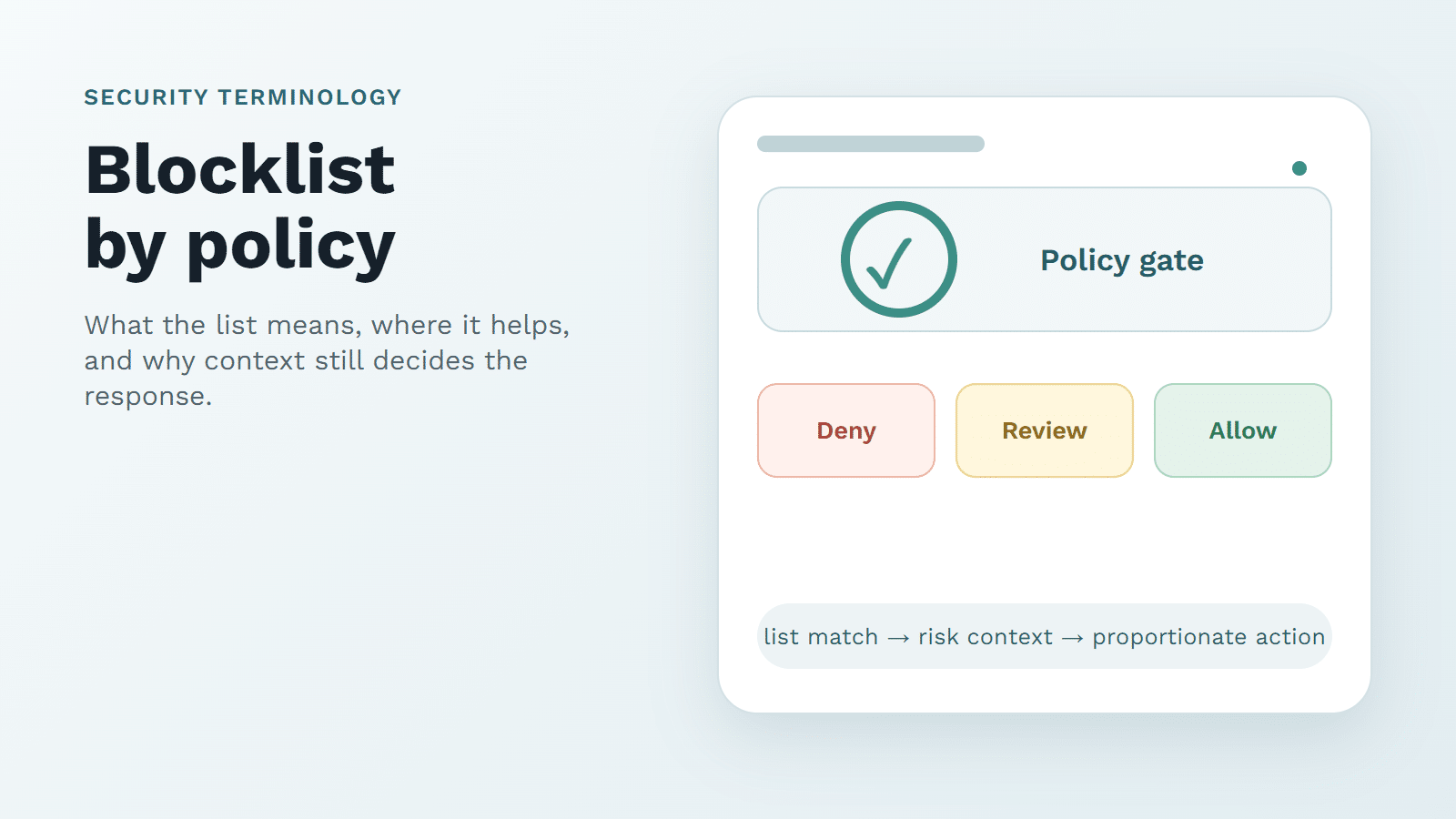

Quick Answer
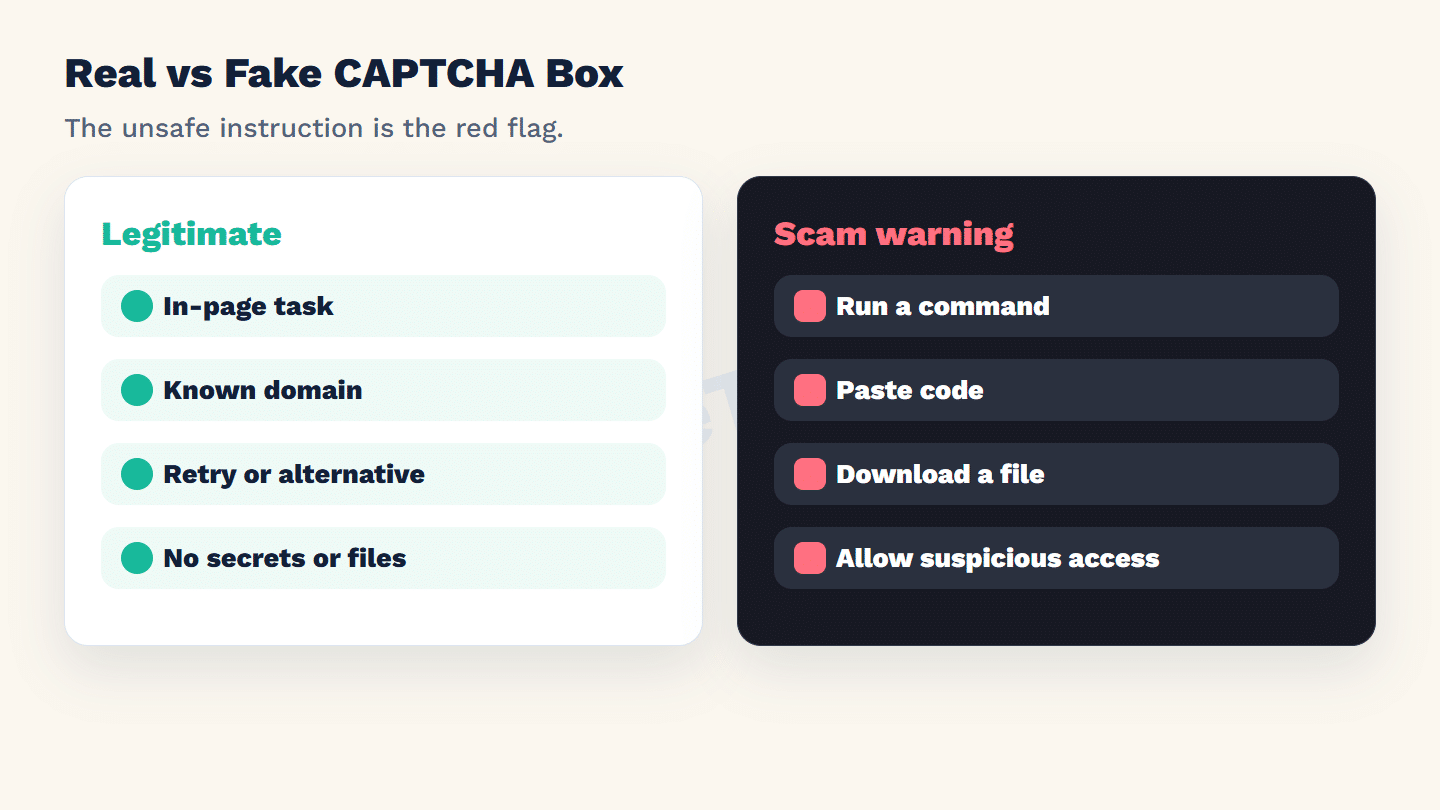
A fake CAPTCHA box scam is a malicious page that imitates a familiar "I am not a robot" prompt and then pushes the user toward an unsafe action. A real CAPTCHA may ask for an in-page checkbox, image task, audio option, or other verification. It should not ask users to press Windows key + R, paste a command, download a file, approve suspicious notifications, disable security tools, or copy code into the operating system.
Fake CAPTCHA scams have clear consumer-safety implications, but they also create business risk. A user who is tricked by a fake verification prompt may blame the brand they thought they were visiting. A compromised endpoint can become the start of account takeover, credential theft, malware infection, support escalation, incident response cost, and lost trust.
For GeeTest’s enterprise audience, the lesson is not "avoid CAPTCHA." The lesson is to choose CAPTCHA services and verification flows that are recognizable, contained, risk-based, and difficult for attackers to imitate convincingly.
How Fake CAPTCHA Box Scams Work
Fake CAPTCHA scams borrow the look of trusted verification. The page may claim that the user must prove they are human, unlock a video, continue a download, or confirm browser access. Then the task changes from in-page verification to instruction-following.
The FTC’s June 8, 2026 alert on how to spot a CAPTCHA scam warns that these prompts can lead users into copying commands or installing malware. The exact wording changes, but the structure is consistent: the attacker uses a trusted security pattern to make a dangerous instruction feel routine.
The most important rule is simple: a CAPTCHA proves you are human inside the website flow. It should not require operating-system commands.
Security teams often describe this family of scams as part of "ClickFix"-style social engineering: the attacker makes the user perform the compromise by presenting a fake error, browser check, or verification instruction. Microsoft Threat Intelligence has documented ClickFix campaigns that abuse human-verification and CAPTCHA-like checks to make command execution feel routine. That matters for businesses because the attack bypasses many ordinary user expectations. The user thinks they are completing a security step, but the business may later face infected devices, stolen credentials, account abuse, or complaints about a brand-imitating page.
Real CAPTCHA Box vs. Fake CAPTCHA Box
| Signal | Legitimate verification | Fake CAPTCHA scam warning |
|---|---|---|
| Location | Embedded in the expected website or a known verification context | Random page, pop-up, redirect, or suspicious landing page |
| Task | Checkbox, puzzle, audio option, or risk-based in-page check | Run a command, paste code, download a file, install an extension |
| User data | Minimal interaction needed for verification | Requests passwords, payment, seed phrases, remote access, or device control |
| Failure path | Retry, accessible alternative, or safe support route | Pressure, countdowns, repeated prompts, or threats |
| Browser behavior | Does not require disabling protections | Asks to allow notifications, bypass warnings, or turn off security |
Why Fake CAPTCHA Scams Hurt Businesses
Fake CAPTCHA scams can damage a business even when the scam page is not hosted on the company’s infrastructure. The harm shows up across trust, support, security, and revenue operations.
| Business impact | How the scam creates damage | What teams should monitor |
|---|---|---|
| Brand trust loss | Users associate a fake verification prompt with the brand or campaign they intended to visit | Complaints, social posts, support tickets, and abuse reports mentioning verification |
| Account takeover risk | Users may paste commands, install malware, or reveal credentials after a fake prompt | Login anomalies, password reset spikes, new-device sign-ins, and suspicious session changes |
| Malware and endpoint exposure | Fake CAPTCHA instructions may lead to command execution or download behavior | EDR alerts, helpdesk tickets, and reports of browser redirects or command prompts |
| Support cost | Confused users ask why a CAPTCHA asked for unusual actions | Ticket volume around verification, blocked users, and suspicious downloads |
| Conversion loss | Real users abandon a journey when they no longer trust the verification step | Abandonment after challenge, retry loops, and campaign landing-page complaints |
| Phishing and impersonation | Lookalike pages copy the trust pattern of legitimate verification | Lookalike domains, malicious ads, and fake support pages |
The FBI’s annual Internet Crime Complaint Center reports, including the 2025 IC3 Internet Crime Report, show how large cyber-enabled fraud losses have become in the United States, even though a fake CAPTCHA is only one possible social-engineering entry point. For a business, that is the right framing: a fake CAPTCHA box is not just a quirky scam page. It can be the first touch in a wider fraud, malware, or account-compromise chain.
What Users and Website Teams Should Do
If a CAPTCHA box asks you to run a command or download something, stop. Close the tab. Do not paste the command. Do not give remote access. If you already followed the instruction, disconnect from the internet if needed, run a reputable security scan, change passwords from a clean device, and report the suspicious page.
For reporting, the FTC points users to ReportFraud.ftc.gov. If the incident looks like cyber-enabled crime, the FBI’s Internet Crime Complaint Center is another official intake route in the United States.
For ordinary CAPTCHA trouble, use safer troubleshooting first:
- Refresh from the expected website.
- Check that the URL is correct.
- Avoid links from unexpected messages, ads, or pop-ups.
- Update the browser.
- Disable only extensions you trust and understand, then re-enable them after testing.
- Use the website’s official support path if verification keeps failing.
The line is not "CAPTCHA is safe" or "CAPTCHA is fake." The line is whether the prompt stays inside a legitimate verification flow.
What Website Teams Should Learn From These Scams
Fake CAPTCHA scams are not only a consumer-safety issue. They are a product-design warning. If a legitimate site uses confusing verification patterns, unexpected downloads, unclear redirects, or unexplained cross-domain prompts, it normalizes the behavior attackers exploit.
Businesses should design verification flows that are easy to recognize:
- Keep verification inside the expected page or a clearly trusted verification context.
- Never ask users to run operating-system commands.
- Never ask users to install files as part of CAPTCHA.
- Provide accessible alternatives and clear recovery.
- Avoid repeated challenge loops that push users toward unsafe workarounds.
- Monitor complaints about verification confusion, not only solve rate.
For teams that need basic user education, GeeTest’s what is CAPTCHA guide explains the legitimate security role, while CAPTCHA’s role in fraud fighting connects verification to broader fraud prevention.
What CAPTCHA Service Should Enterprises Choose?
An enterprise CAPTCHA service should protect the user’s trust as much as it protects the form. Scams exploit ambiguity, so the legitimate service should make verification predictable, contained, and measurable.
A practical selection checklist:
- The verification stays inside the expected browser flow and never asks for operating-system commands.
- The service supports adaptive challenge behavior instead of forcing every user through the same visible test.
- The service can work with device, behavior, velocity, and business-risk signals.
- Fraud and security teams can tune policy for different flows such as login, signup, password reset, checkout, and promotion abuse.
- The flow supports accessible recovery and avoids endless retry loops.
- The provider offers deployment and support patterns that help teams investigate verification complaints.
- The business can monitor challenge rate, pass rate, abandonment, and suspicious activity after launch.
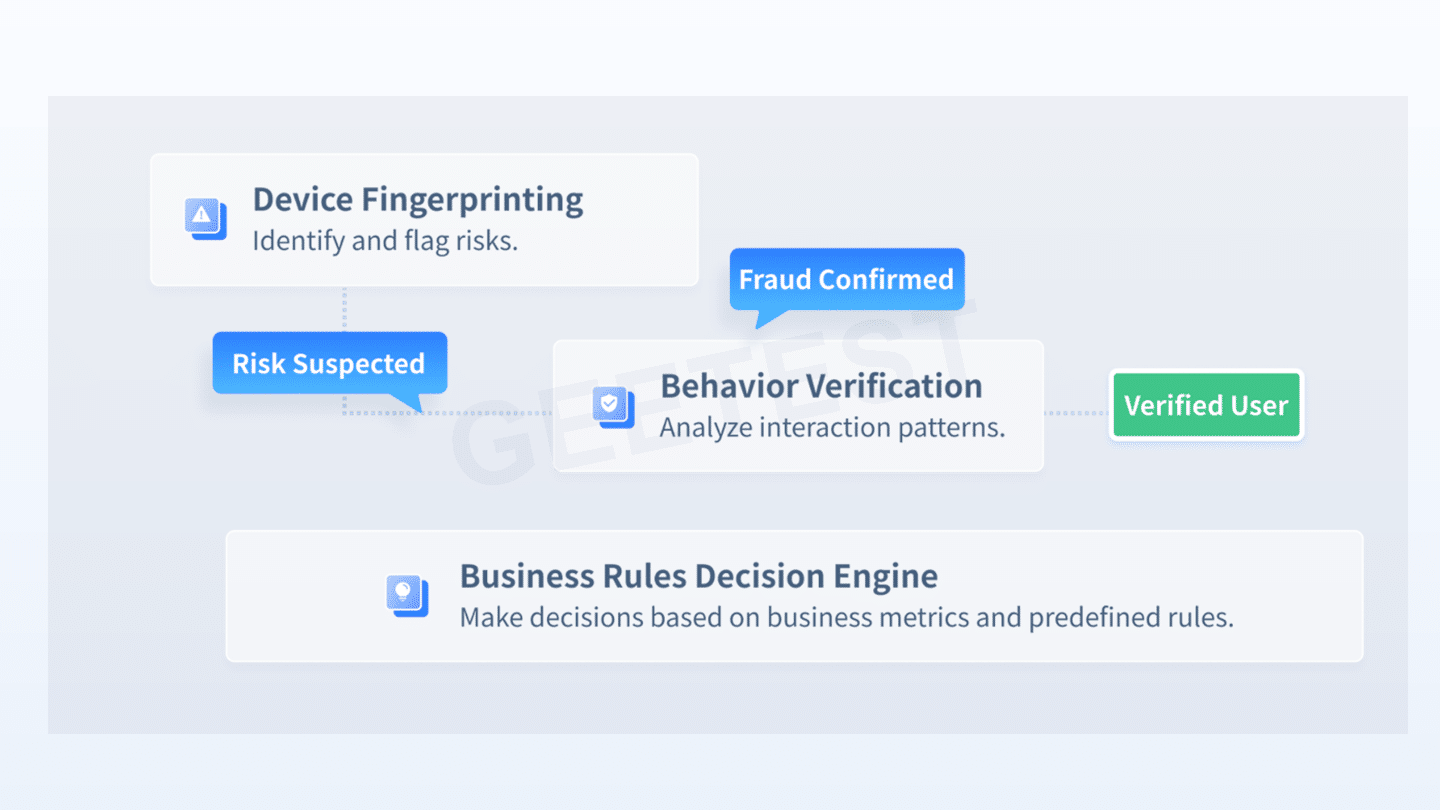
This is where GeeTest Adaptive CAPTCHA fits naturally. It gives enterprises a way to use CAPTCHA as a risk-based step-up layer instead of a blunt, confusing wall. For higher-risk environments, GeeTest’s broader bot management approach can combine adaptive CAPTCHA with device and behavior signals and policy orchestration, helping teams decide when to allow, challenge, throttle, block, or review.
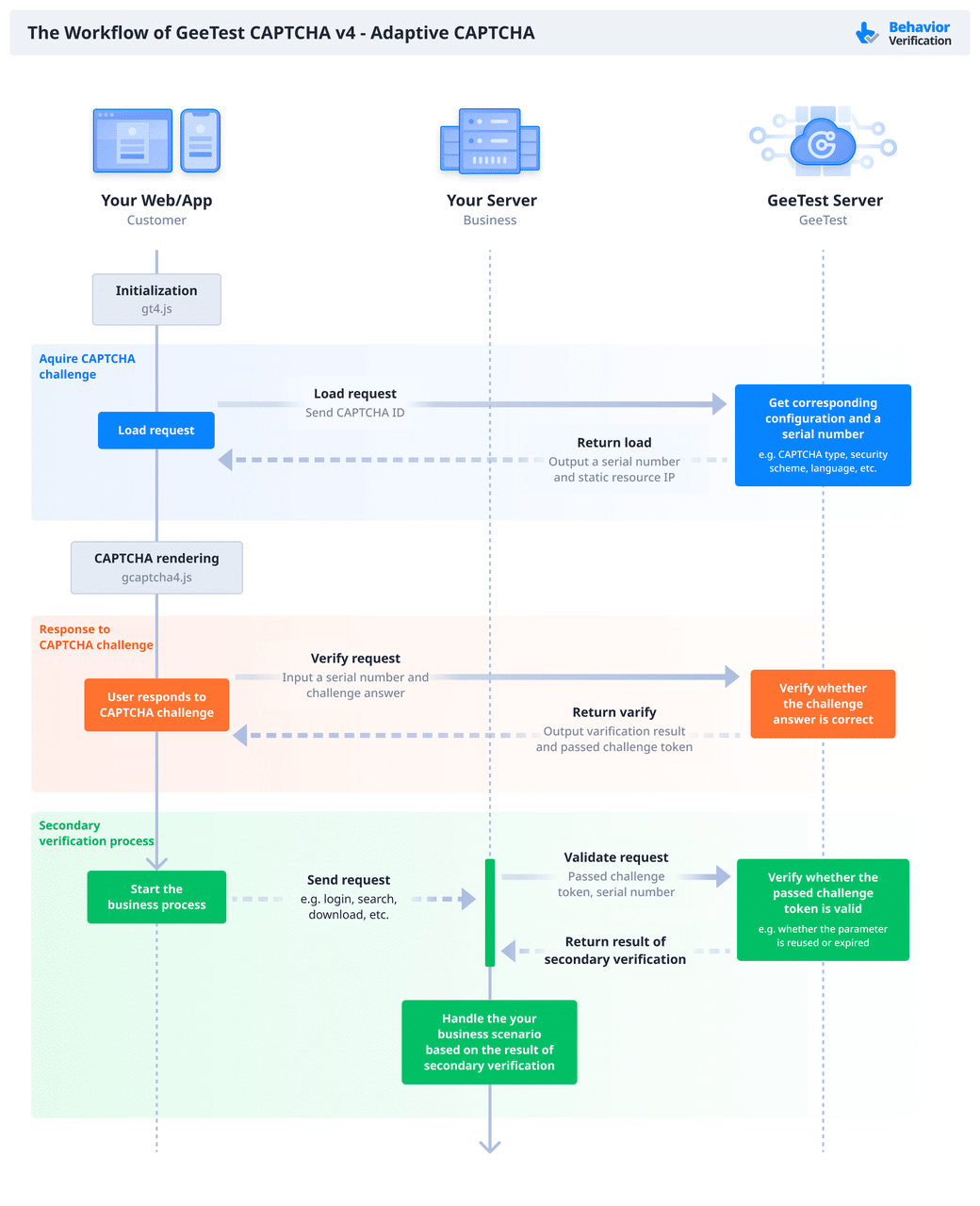
The advantage is not that any CAPTCHA brand can make scams disappear. The advantage is operational reliability: a clear verification experience, adaptive friction, and enough control for teams to respond when attackers imitate trust patterns.
GeeTest’s case library also gives teams a safer way to discuss impact without inventing numbers. The SMS pumping fraud case is useful related reading for registration-abuse cost control, and the fast-fashion scraping and credential-stuffing case shows how account and commerce abuse can become operational risk. These are not fake-CAPTCHA scam case studies; they are related GeeTest examples of why verification, bot defense, and incident response need to work as one program.
Legitimate Verification, Red Flags, and Response Flow
Legitimate verification should be proportionate to the action. A low-risk newsletter form should not feel like account recovery. A high-risk password reset can justify stronger step-up, but it still needs clear instructions and recovery.
A trustworthy CAPTCHA or human-verification flow usually has these traits:
- It is visually connected to the website the user intended to visit.
- It explains the action in plain language.
- It offers an accessible route or alternative.
- It validates the result server-side.
- It does not rely on fear, urgency, or system-level instructions.
- It does not ask for secrets, payments, downloads, or remote access.
From a GeeTest standpoint, legitimate verification should also be risk-based. The visible challenge should appear where risk justifies it, while ordinary users continue with less friction. The business goal is to make the product-design principle concrete: safe verification is contained, predictable, accessible, and measurable.
Red Flags for Business and Support Teams
Support teams may see the earliest warning signs. Watch for users asking why a CAPTCHA asked them to run a command, why a verification page wanted notification permission, or why a download appeared before they could continue. Those complaints should not be dismissed as generic confusion.
Treat repeated reports as a brand-protection issue. Attackers may be imitating your login page, abusing your ad traffic, or buying lookalike domains. Even when the scam is not hosted on your infrastructure, users may associate the experience with your brand if the lure started from a search result, message, or fake support page that mentions your service.
Useful response actions include preserving the reported URL, taking screenshots, checking referrer and ad-campaign data, reporting the phishing page, and publishing short user guidance that explains what your legitimate verification will never ask people to do.
A Safe Response Flow
Use this response flow when a CAPTCHA box feels wrong:
- Pause before clicking.
- Check the domain and page context.
- Reject commands, downloads, security bypasses, passwords, payments, and remote-access requests.
- Close the page if the prompt pressures you.
- Navigate to the intended site manually instead of using the suspicious link.
- Report the page if it appears malicious.
- If you interacted with it, treat the device and account as potentially exposed until checked.
This advice is intentionally strict. A legitimate business should not need system-level commands to prove you are human.
FAQ
1. What is a CAPTCHA box?
A CAPTCHA box is a visible verification element, often a checkbox or puzzle, used to check whether a request is likely coming from a human rather than an automated program.
2. Where is the CAPTCHA box?
On a legitimate site, it should appear within the expected web page or a known verification component. If it appears in an unexpected pop-up, redirect, or suspicious page, treat it carefully.
3. Can a CAPTCHA box be fake?
Yes. Attackers can imitate a CAPTCHA box to make unsafe instructions look trustworthy. A fake prompt may ask you to run commands, paste code, download files, allow notifications, or disable protections.
4. Are CAPTCHA solvers illegal?
Legality depends on context, jurisdiction, and use. From a website-security perspective, automated CAPTCHA solving can violate terms of service and enable abuse. This article is not legal advice.
5. What should a business say in user guidance?
Publish a short statement explaining what your verification will never ask for: no system commands, no pasted scripts, no software downloads, no passwords, no payment, and no remote access.