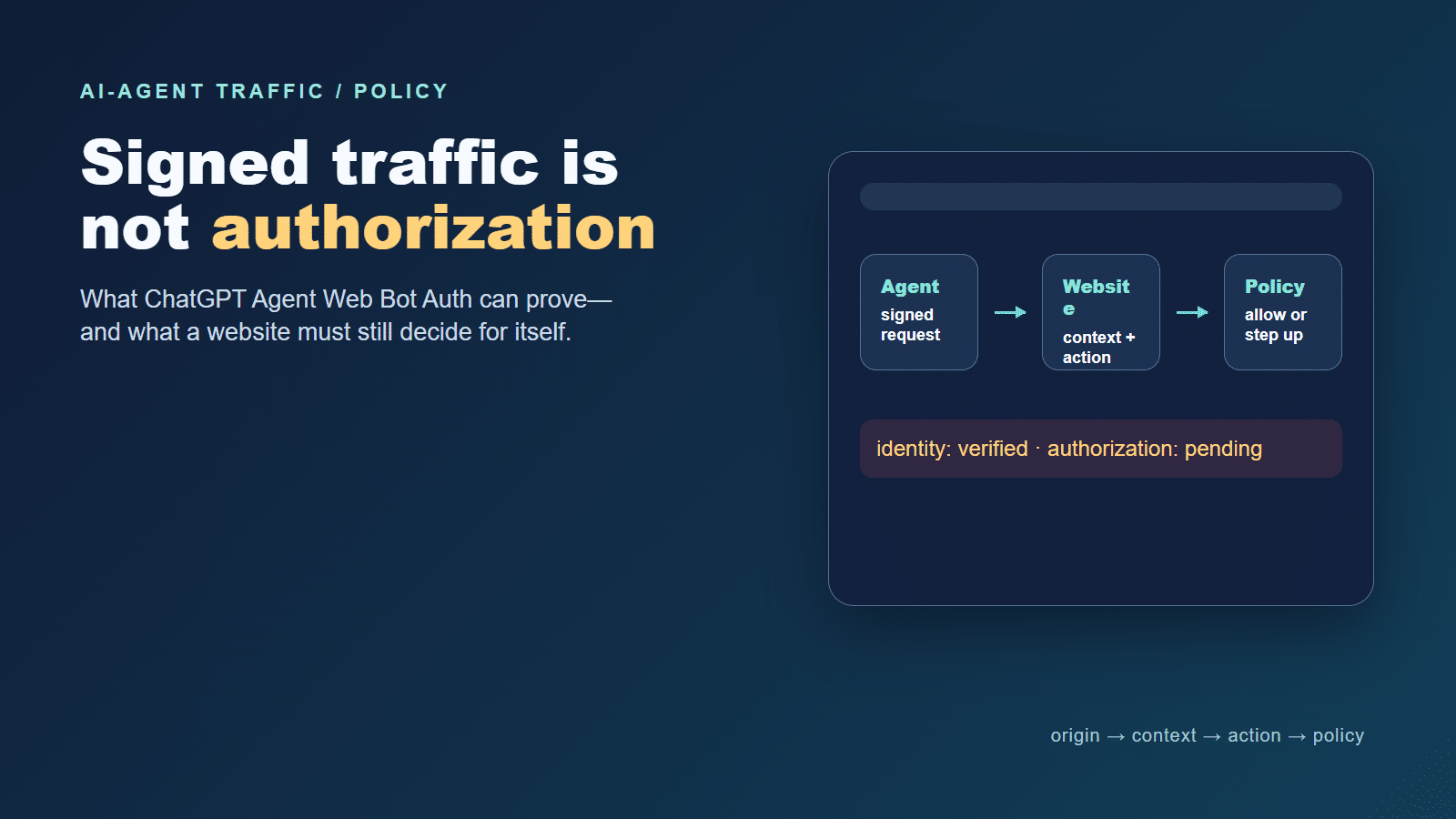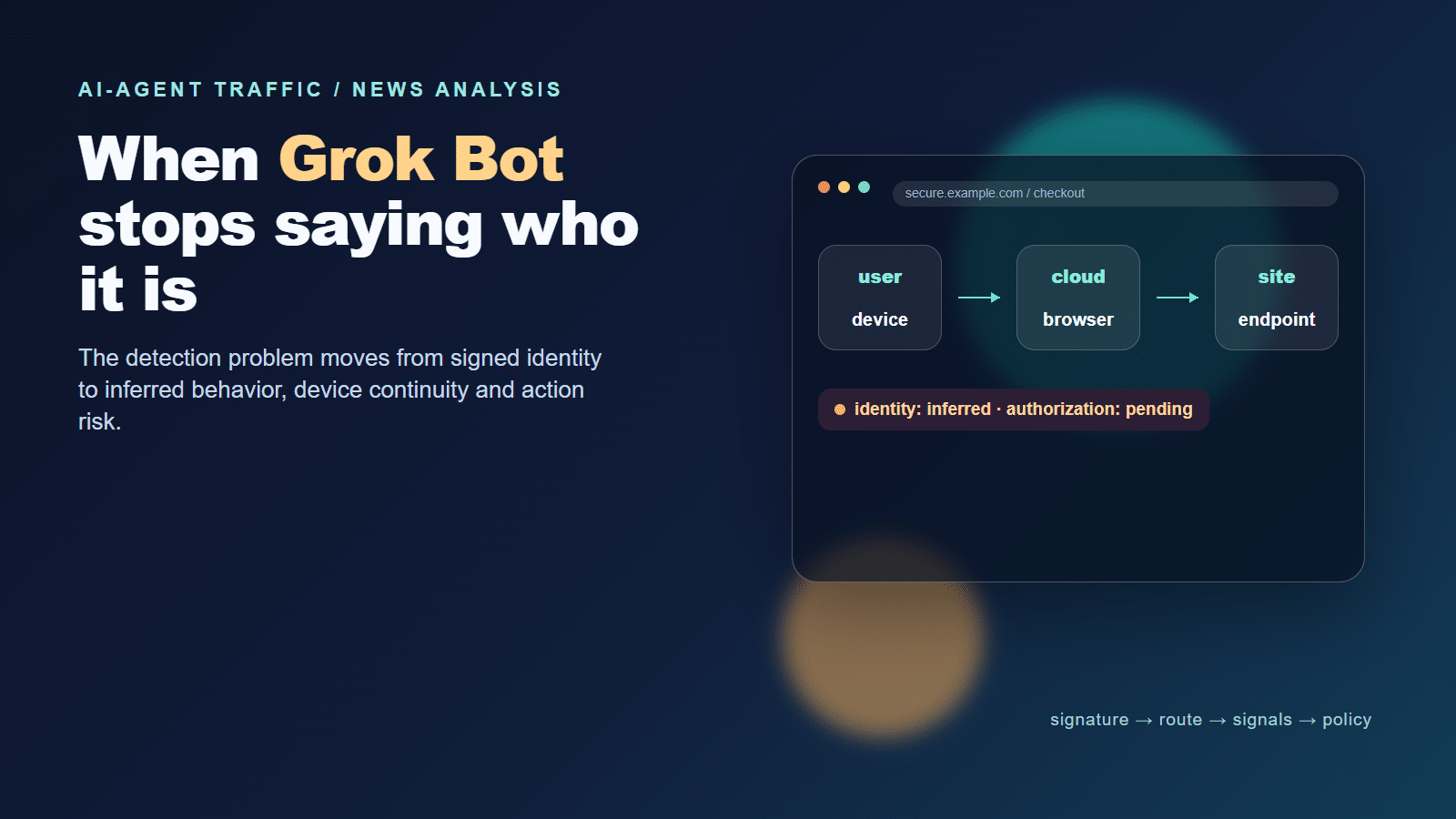

Google-Agent traffic is entering a more complicated verification phase. Some requests can carry Web Bot Auth evidence that a website can validate cryptographically. Other requests may still arrive without a signature and need the older combination of source-IP, DNS, and User-Agent checks.
That distinction matters because a website can easily make two opposite mistakes. It can trust any request that says Google-Agent, or it can reject every request that does not carry a signature. Neither approach reflects Google’s current documentation. The safer operating rule is to identify what the request proves, preserve uncertainty where it does not, and then apply a policy that matches the requested action.
The core point of this article is simple: Google-Agent verification is a layered input, not a final allow decision. First establish whether the request has a valid Google-origin signal. Then ask what the site should allow this session to do, based on the endpoint, account, device, behavior, and business consequence. The same agent identity can therefore produce different outcomes on a public page, a login flow, or a payment endpoint.
The article follows that logic in order: classify the agent, verify the strongest available origin evidence, compare signed and unsigned request states, and finally choose a proportionate business response. GeeTest appears at the last step as the control layer that combines device, behavior, environment, and business variables to identify and manage abnormal traffic.
What Google-Agent Is-and What It Is Not
Google’s documentation lists Google-Agent as a user-triggered fetcher. It is used by agents hosted on Google infrastructure to browse pages and perform actions at a user’s request. That makes it different from a common crawler such as Googlebot, which is normally discussed as an automated product crawler with its own robots.txt behavior and IP ranges.
The Google user-triggered fetcher documentation publishes Google-Agent’s user-agent patterns and points to the user-triggered-agents.json IP-range object. The same page warns that a user-agent string can be spoofed. In other words, the label is useful for classification, but it is not a standalone identity proof.
User-Triggered Agent vs. Common Crawler
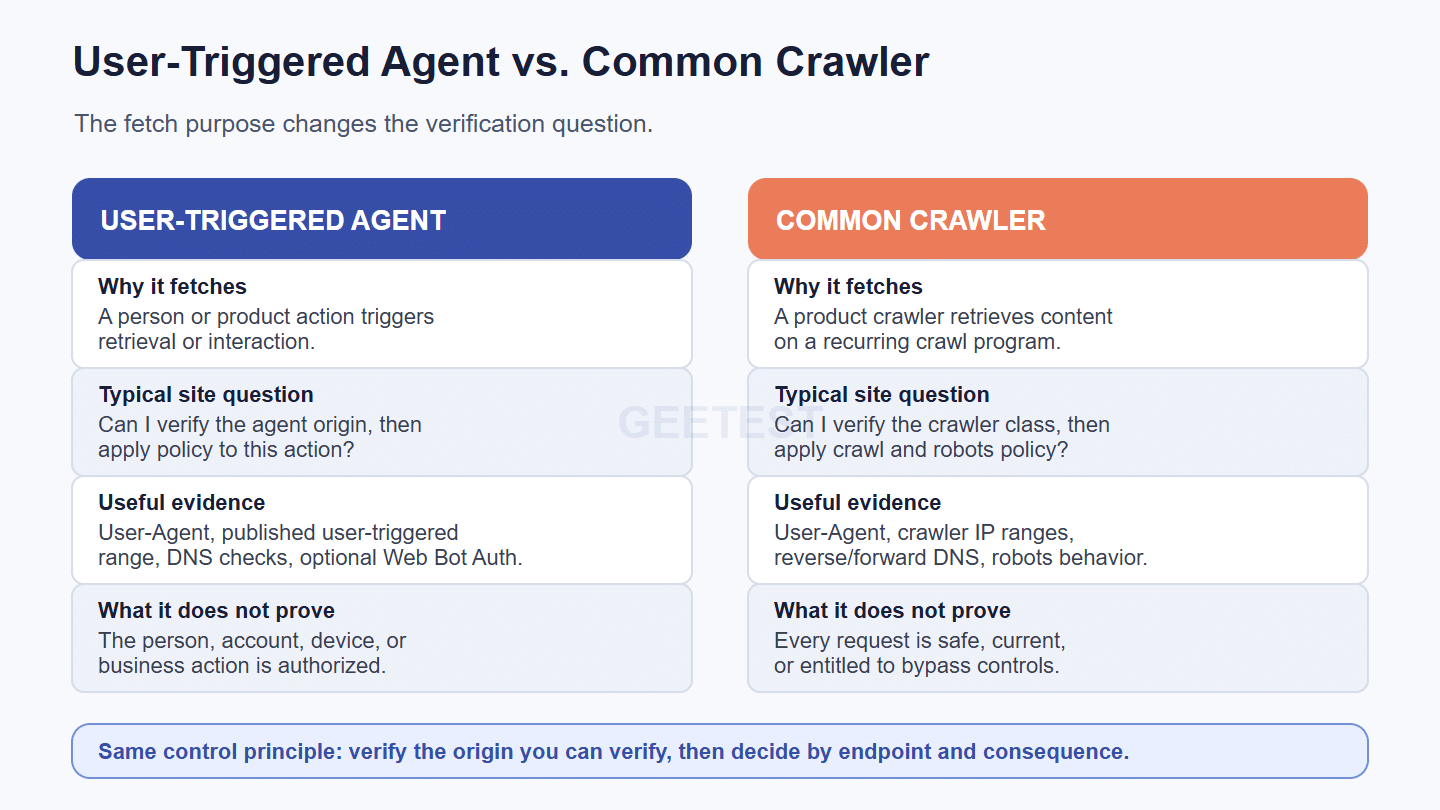
The user-triggered category is defined by why the fetch happened: a person asked a Google product or agent to retrieve or interact with a URL. That context does not automatically tell the website which person made the request, whether the person controls the account being accessed, or whether the requested action is safe.
It also means that a policy designed for ordinary search crawling may not fit Google-Agent. A read request for a public page, a request to complete a form, and a request that changes an account can all appear within the same broad agent category while carrying very different business consequences.
The Google-Agent evidence chain
For a website, the evidence chain has several layers:
- the declared User-Agent string;
- the source IP and its membership in a published Google range;
- reverse DNS and forward DNS consistency;
- an optional Web Bot Auth signature and its covered request components;
- normal session, device, account, behavior, and endpoint context.
Those layers answer different questions. They should not be collapsed into a single trusted=true field.
For background on the older spoofed-Googlebot problem, see GeeTest’s fake Googlebot verification. For the broader identity-versus-authorization distinction, see the signed ChatGPT Agent analysis.
Why Only Some Google-Agent Requests Carry Web Bot Auth
Google describes Web Bot Auth as an experimental protocol. Its official guidance says that Google is not signing every request from a particular agent. During the rollout, websites should continue to rely on IP addresses, reverse DNS, and User-Agent checks as a fallback.
Signature present
When the signed path is used, the request can include a Signature-Agent value identifying https://agent.bot.goog, along with Signature-Input and Signature headers. The website can retrieve the agent’s public keys from the published key directory, respect cache and key-expiration behavior, and verify the covered message components.
That is useful evidence. It can support a conclusion that the request was signed by the published agent identity and that the covered parts of the message were not altered. It does not prove that a human approved every step, that the account is low risk, or that a payment or account change should be allowed.
Signature absent
An unsigned request is not automatically malicious, and it is not automatically Google traffic. It is an incomplete identity signal. The website should fall back to the verification methods Google documents for its crawler and fetcher classes, then combine the result with its own session and business context.
This is the key operational boundary: the absence of a signature means “the cryptographic signal is unavailable for this request,” not “the request has been disproved.” The response should depend on what the site can verify next and what the endpoint would allow the caller to do.
The fallback should also be observable over time. Log whether the request was signed, which IP-range file and DNS checks were used, and whether the request later crossed into an authenticated or state-changing flow. That record helps security and operations teams distinguish a normal rollout gap from a repeatable spoofing pattern. It also prevents a temporary unsigned path from quietly becoming a permanent exception that bypasses stronger controls.
What to Verify When the Signature Is Missing
When a Google-Agent request does not carry Web Bot Auth, the verification sequence should remain explicit and auditable rather than becoming a vague allowlist exception.
Reverse and forward DNS
Start from the source IP in the request log. Reverse-resolve it and check whether the resulting hostname belongs to an expected Google domain for the fetcher class. Then forward-resolve that hostname and confirm that it maps back to the original IP. This two-way check reduces the chance that a convenient-looking hostname is being trusted without proving control of the address.
Do not treat reverse DNS as a substitute for application risk analysis. A valid infrastructure origin says something about the network path. It does not establish user intent, account ownership, device continuity, or the legitimacy of a sensitive workflow.
Published IP ranges
Google publishes separate IP-range objects for common crawlers, special-case crawlers, user-triggered fetchers, and user-triggered agents. Keep the lists current, validate the correct object for the traffic class, and record which list version was used in the decision log. The user-triggered agent range file is a reference input, not a universal authorization list.
If the IP is not in the expected range, if DNS does not round-trip, or if the request claims Google-Agent but behaves like a browser automation tool from an unrelated network, classify it as unverified automation. That does not require an immediate block on every public endpoint, but it should prevent silent trust escalation.
A Practical Matrix for Google-Agent Request Handling
The matrix below separates what a website can observe from what it should decide. The decision should remain sensitive to the endpoint, account, session and business consequence.

| Request state | Evidence you can use | Reasonable default posture |
|---|---|---|
| Signature present and valid | Web Bot Auth headers, published key, covered message components | Verify the signer, then apply ordinary policy |
| No signature, IP and DNS match | User-Agent plus current IP range and two-way DNS check | Observe or allow low-consequence reads with limits |
| IP/DNS mismatch or unknown source | Spoofed label, unlisted address, failed DNS, bad key | Treat as unverified automation; limit or challenge |
| Sensitive action after either path | Account, device, behavior, velocity, endpoint and transaction context | Step up, review, rate-limit, or block as appropriate |
The point is not to create a new permanent allowlist. It is to preserve a decision trail: which signal was present, which fallback was used, which uncertainty remained, and why the selected response matched the action.
Why Origin Verification Still Does Not Authorize the Action
An origin signal is only one input to a business decision. Even a request that passes Web Bot Auth and IP checks can still arrive with a new device, an unfamiliar account pattern, unusual velocity, or a workflow sequence that does not fit the user’s history.
Public browse and search
Public browsing is usually the lowest-consequence path. A website may observe the traffic, allow it with rate limits, or use a lighter control when the origin evidence is consistent. Repeated retries, high-volume extraction, or an abnormal navigation pattern can still justify escalation.
Login, registration, and payment
Login and registration connect the request to an account and a durable identity. A Google-Agent label should not erase new-device checks, recovery-flow safeguards, duplicate-account controls, or promotion-abuse limits. Payment and account-change endpoints deserve the strongest controls because a valid origin does not make a transaction reversible or safe.
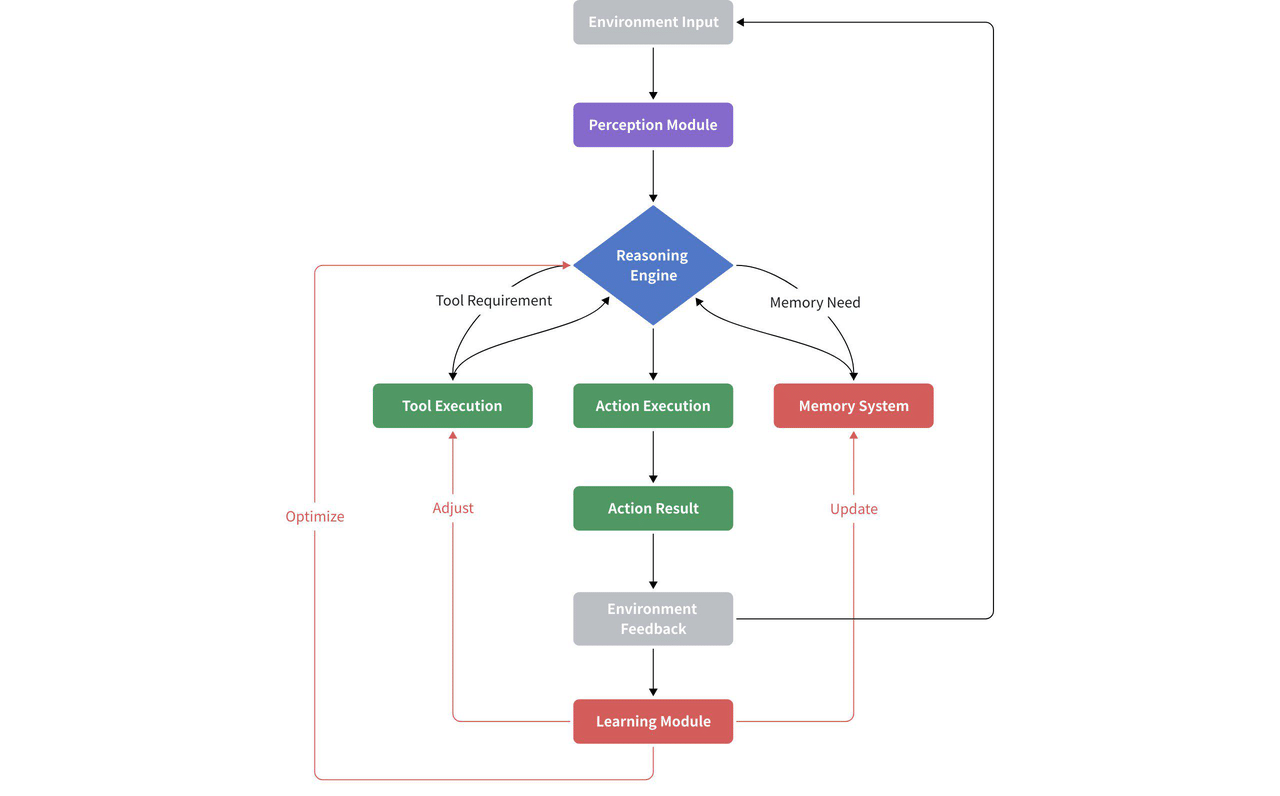
For a broader AI-agent workflow view, the reusable AI-agent workflow diagram shows how environment input, perception, reasoning, action, result, and feedback form a loop. The verification signal belongs near the start of that loop; it should not be mistaken for the final policy decision.
Where GeeTest Fits in the Control Stack
GeeTest fits after the origin signal, at the layer where a site must combine evidence with business context. The practical flow is:
- Observe the session: Device Fingerprinting and behavioral signals help the site evaluate device continuity, environment, session consistency, and request patterns. Adaptive CAPTCHA can add a human-verification step when risk requires it.
- Add business context: The Business Rules Engine can combine those observations with site-defined variables such as endpoint, account state, access velocity, transaction value, and workflow stage. The same Google-Agent request can therefore receive different treatment on a public page, a login, a registration path, or a payment endpoint.
- Manage the outcome: The resulting assessment supports human-versus-automation identification and proportionate actions such as observe, allow, rate-limit, step up, review, or block. Abnormal traffic can be isolated or managed without declaring every automated request malicious.
For related implementation context, see GeeTest’s bot management guidance, Device Fingerprinting, bot-detection overview, and agent-bot defense overview. These links describe the control layer; they are not claims that GeeTest currently verifies every Google-Agent signature.
Final Takeaway
Google-Agent traffic is not one uniform verification class. Some requests may carry a Web Bot Auth signature that strengthens origin evidence. Other requests may require IP, reverse DNS, forward DNS, and User-Agent checks. A mismatch or missing signature should preserve uncertainty, not trigger an automatic assumption that the request is either safe or malicious.
The durable operating rule is simple: verify what can be verified, keep fallback checks current, correlate the request with device, session, account, behavior, and endpoint context, and apply the smallest control that fits the business consequence. Signed or Google-origin traffic can inform authorization. It should never silently replace it.
When the site needs evidence that a real person is present, a risk-based Adaptive CAPTCHA or other step-up challenge can be introduced at the decision point; it should remain one control within the broader policy, not a substitute for origin and account checks.
Frequently Asked Questions
1. Does every Google-Agent request include Web Bot Auth?
No. Google’s experimental guidance says it is not signing every request from a particular agent. Websites should continue using the appropriate IP and DNS verification fallback.
2. Is an unsigned Google-Agent request fake?
Not necessarily. It means the cryptographic signal is unavailable for that request. Check the correct Google IP range, perform reverse and forward DNS validation, and keep the request subject to normal session and endpoint controls.
3. Can a valid Google-Agent signature authorize a payment?
No. It can support an origin and message-integrity assessment. Payment authorization still depends on the account, device, behavior, transaction, and business policy context.
4. How should websites handle Google-Agent traffic?
Separate signed, unsigned-but-verifiable, and unknown traffic; combine origin evidence with device, session, account, behavior, velocity, and endpoint context; then observe, allow, limit, step up, review, or block according to consequence.