

Google CAPTCHA, more commonly known as Google reCAPTCHA, is one of the most familiar human-verification systems on the web. It helps websites and applications decide whether an interaction is likely coming from a real person or from automated software.
Searchers use “Google CAPTCHA” in several different ways. Some mean the reCAPTCHA widget on a website, some mean the “unusual traffic” CAPTCHA that can appear on Google Search, and some are trying to understand whether a CAPTCHA-looking page is legitimate or risky. This article focuses on web and application security, while also clarifying those related situations so teams can evaluate CAPTCHA decisions with less confusion.
Takeaways
- Google CAPTCHA is useful for baseline spam and bot filtering, especially in standard web forms and lower-risk flows.
- In 2026, enterprise teams are evaluating CAPTCHA not only by security, but also by user friction, accessibility, privacy review, regional availability, and operational control.
- Google Search CAPTCHA and website reCAPTCHA are related but not identical use cases. Google says its Search “unusual traffic” message can appear when a network seems to send automated traffic.
- Fake CAPTCHA pages are a separate security risk; the FTC has warned users to watch for CAPTCHA scams that try to trick people into running malicious commands.
- The best alternative depends on the flow: a simple blog comment form, a high-risk login, a checkout flow, and a global SaaS registration funnel should not use the same verification policy.
What Is Google CAPTCHA?
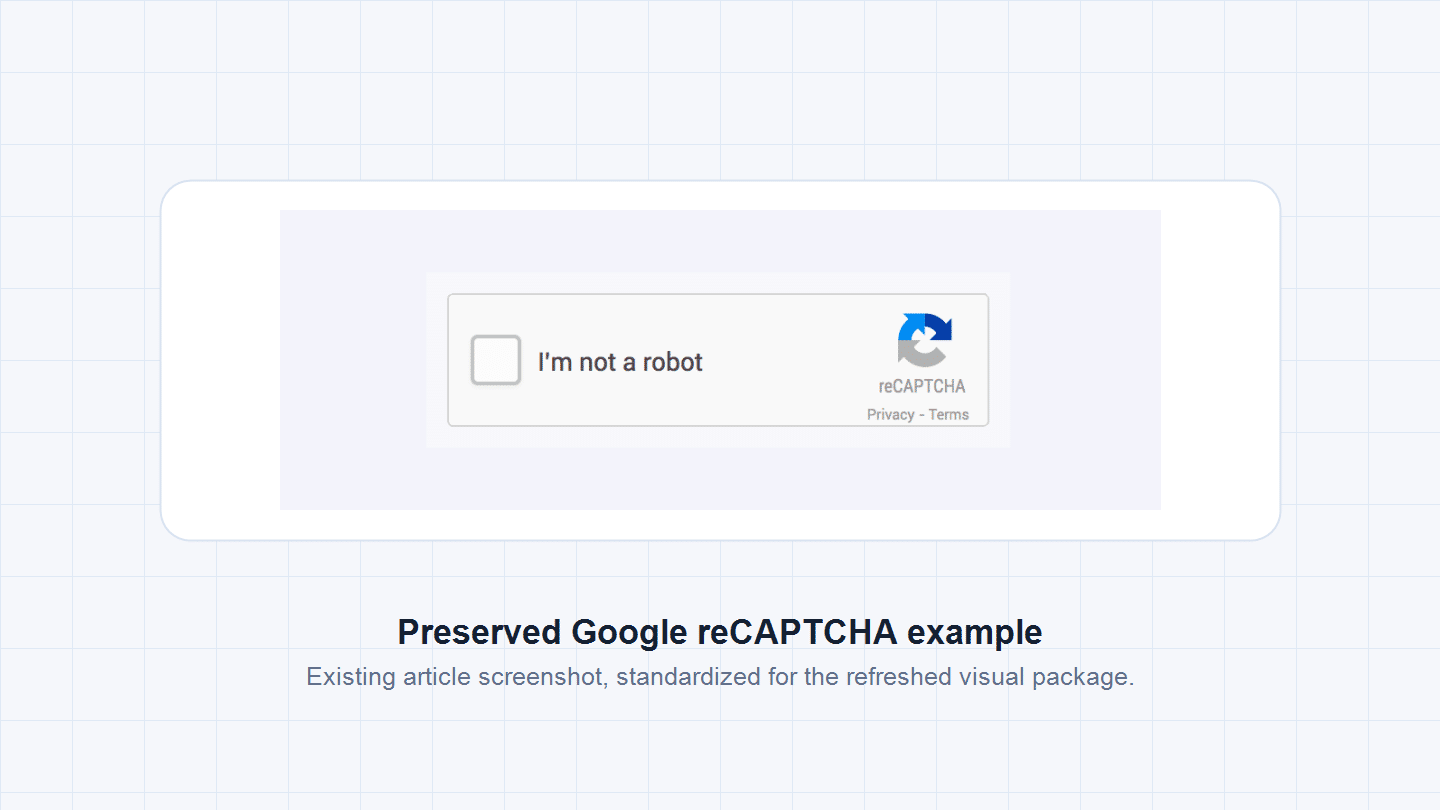
Google CAPTCHA usually refers to Google reCAPTCHA, a human-verification technology designed to distinguish legitimate users from automated programs. It helps protect websites and applications against spam, credential stuffing, fake registrations, scraping, and other automated abuse.
At a basic level, Google CAPTCHA evaluates signals around an interaction. Depending on the reCAPTCHA version and site configuration, those signals may lead to a checkbox, an image challenge, an invisible check, or a score that the website owner uses to decide whether to allow, block, review, or step up the action.
Common forms include:
- reCAPTCHA v2, which can rely on a visible “I’m not a robot” checkbox or image challenges.
- reCAPTCHA v3, which evaluates interactions in the background and returns a risk score.
- Invisible CAPTCHA, which reduces visible friction by triggering challenges only when the interaction looks suspicious.
For broader context on how CAPTCHA works as a security concept, see GeeTest’s guide to what CAPTCHA is. For this article, the important point is practical: Google CAPTCHA is not just a puzzle. It is a verification layer that sits between a user action and a business decision.
Why Google CAPTCHA Is Being Reconsidered in 2026
Google CAPTCHA still serves many general-purpose use cases, but the operating environment has changed. Automated abuse is now more adaptive, more distributed, and more human-like. At the same time, product teams care more about conversion, accessibility, privacy review, and regional reliability than they did when CAPTCHA was mainly a spam-control widget.
Several limitations have become more visible:
- Customization remains limited. Standard CAPTCHA logic can work for generic forms, but high-risk flows often need different policies for login, registration, checkout, SMS, API access, and password recovery.
- User friction is still a business problem. Image challenges and repeated verification attempts can interrupt onboarding, especially on mobile devices or high-frequency SaaS workflows.
- Accessibility needs are harder to ignore. W3C guidance on CAPTCHA accessibility notes that interactive CAPTCHA tasks can exclude some people with disabilities, so teams should assess fallback options and accessible user recovery paths.
- Privacy and data governance reviews are more common. Enterprises need to understand what signals are collected, where data is processed, and whether a third-party verification layer fits internal policy.
- Scam risk has become part of user education. A fake CAPTCHA page is not the same as legitimate reCAPTCHA. The FTC’s 2026 consumer alert on CAPTCHA scams warns users to be cautious when a page asks them to copy, paste, or run commands.
- Regional access and support matter. A single default provider may not behave consistently across every market, device, browser, and network environment.
The result is not that Google CAPTCHA is obsolete. It is that enterprises increasingly treat CAPTCHA as one part of a larger bot-management and risk-control decision.
How Google CAPTCHA Works in Modern Web Applications
In modern implementations, Google CAPTCHA functions as a risk evaluation layer rather than a simple challenge-response test. When a user interacts with a protected element, such as a login form, registration page, checkout action, or content submission, the system evaluates signals around the request and returns a result to the application.
Those signals may include:
- Interaction behavior, such as timing, clicking, scrolling, or challenge completion.
- Environment context, such as browser, device, network, or IP reputation.
- Historical or session context, such as repeated attempts, abnormal velocity, or suspicious patterns.
In score-based implementations, the application still has to make the operational decision. A low score does not automatically tell a business what to do. The team must decide whether to allow the action, require a step-up check, route it for review, throttle the request, or block it. This is where many enterprise teams discover that CAPTCHA performance depends as much on policy design as on the widget itself.
It is also useful to separate website reCAPTCHA from Google Search challenges. Google Search Help explains that an “unusual traffic” message can appear when a network seems to send automated traffic, including some VPN, malware, shared network, or ISP scenarios. That experience is controlled by Google Search, not by the website owner evaluating a CAPTCHA provider.
What Enterprise Teams Should Check Before Choosing CAPTCHA

Enterprise CAPTCHA decisions should start from the protected flow, not from the vendor name. A low-risk newsletter signup, a login under credential-stuffing pressure, a checkout with payment fraud exposure, and a global registration flow all need different verification tolerance.
| Evaluation question | Why it matters | Practical action |
|---|---|---|
| Which flow is protected? | Login, signup, checkout, SMS, and API traffic have different risk and UX costs. | Define separate policies by flow instead of applying one global challenge rule. |
| What is the cost of false positives? | Blocking a real user at checkout or password recovery can damage revenue and trust. | Track challenge rate, pass rate, abandonment, and support tickets by scenario. |
| Can the team tune the response? | A score or challenge is only useful if the business can act on it. | Map outcomes to allow, step-up, throttle, review, or block. |
| What fallback exists? | Accessibility, device issues, and regional network conditions can prevent legitimate users from completing a challenge. | Provide accessible alternatives, retry logic, and support routes. |
| Who owns post-launch operations? | Bot behavior changes after deployment. | Assign ownership for monitoring, threshold tuning, incident review, and vendor support. |
This is why many teams move from “which CAPTCHA is best?” to “which verification policy fits this business flow?”
Main Categories of Google CAPTCHA Alternatives in 2026
Google CAPTCHA alternatives generally fall into three categories. The best fit depends on the organization’s risk level, compliance requirements, integration environment, and support needs.
1. Enterprise-Oriented CAPTCHA and Bot Management Platforms
Brief overview: Enterprise-oriented CAPTCHA platforms are built for organizations that need more control over challenge policy, risk levels, deployment support, and long-term tuning. They are most relevant for SaaS, e-commerce, gaming, fintech, social platforms, and other businesses where automated abuse affects account integrity, conversion, or revenue.
Advantage: This category is usually strongest when a team needs scenario-based verification, adaptive challenges, technical support, and the ability to tune friction for different business flows. It can support different policies for login, registration, checkout, SMS, API access, and other high-risk touchpoints instead of applying one global challenge rule.
Limitation: Enterprise-oriented platforms require more ownership than a default widget. They work best when security, product, and engineering teams are ready to define policies, monitor outcomes, and review results after launch.
Product recommendations:
- GeeTest Adaptive CAPTCHA should be the first option to review in this category because it focuses on risk-based verification and can be used as part of a broader bot-management approach rather than a standalone checkbox.
- Arkose Labs is also worth reviewing for organizations that want challenge-heavy fraud deterrence and strong abuse-cost escalation.
- hCaptcha Enterprise can be relevant when a team wants a familiar CAPTCHA replacement with enterprise bot-detection options.
2. Privacy-First CAPTCHA and Verification Services
Brief overview: Privacy-first verification services emphasize minimizing data collection and reducing user tracking while maintaining a baseline defense against automated traffic. These tools can be attractive for organizations with strict privacy-review requirements or for teams that want a simpler replacement for traditional image-heavy challenges.
Advantage: The main advantage is lower perceived friction and easier privacy review. Some privacy-first options avoid image-labeling tasks, reduce persistent tracking concerns, or use cryptographic or proof-of-work methods to separate automated traffic from ordinary users.
Limitation: Their limitation is usually depth of control. A privacy-first CAPTCHA may be a good fit for common web forms, but it may not provide the same level of scenario-specific policy, risk differentiation, or operational support needed for high-risk enterprise flows.
Product recommendations:
- Friendly Captcha and ALTCHA are good names to review when privacy posture and lightweight verification are the primary requirements.
- Cloudflare Turnstile can also fit teams that want low-friction verification and already accept Cloudflare’s ecosystem.
- GeeTest Adaptive CAPTCHA should still be included in the shortlist when privacy review is important but the protected flow also needs adaptive challenge policy, regional testing, support, and risk-based control.
3. Network-Integrated and Infrastructure-Based Solutions
Brief overview: Network-integrated verification is typically bundled into a broader CDN, edge, WAF, or infrastructure security platform. This approach can reduce deployment effort for teams already using that infrastructure and may provide low-friction protection against generic bot traffic.
Advantage: The strongest advantage is operational convenience. If traffic already passes through the same edge or WAF platform, teams may be able to deploy verification quickly, combine it with rate limiting or firewall rules, and reduce the number of standalone security tools.
Limitation: The tradeoff is coupling. If verification depends heavily on one network platform, it may be less flexible for multi-cloud, multi-region, mobile-app, API, or business-specific risk logic. This category often works best when ease of deployment matters more than deep customization.
Product recommendations:
- Cloudflare Turnstile is a natural candidate for teams already using Cloudflare.
- AWS WAF CAPTCHA can make sense for teams standardized on AWS edge and application-security workflows.
- GeeTest Adaptive CAPTCHA should remain on the shortlist for flows where infrastructure-level checks are not enough and the business needs adaptive challenges, support, or more specific verification control at the user-action level.
Google CAPTCHA vs. Alternatives: Enterprise Comparison
The enterprise comparison is less about replacing Google CAPTCHA everywhere and more about deciding where the default remains sufficient, where it needs tuning, and where an alternative deserves review.
| Dimension | Google CAPTCHA / reCAPTCHA | Enterprise-oriented alternative | Privacy-first or infrastructure-integrated option |
|---|---|---|---|
| Best fit | Public forms, familiar widget setup, baseline spam control | High-risk login, registration, payment, SMS, API, or abuse-heavy flows | Teams prioritizing minimal friction, privacy review, or existing edge infrastructure |
| Customization | Standardized challenge or score logic | More room for scenario-based verification and tuning | Usually simple to deploy, but narrower policy control |
| User experience | Can be low-friction, but repeated or image challenges can frustrate users | Can adapt challenge type and intensity by risk level | Often low-friction or invisible by default |
| Accessibility and fallback | Needs careful review and fallback design | Can support more tailored recovery and support processes when configured well | Depends on provider and integration model |
| Operational transparency | Score-based decisions may require interpretation | Better fit when teams need policy ownership, support, and ongoing tuning | Often easier to operate, but less flexible for complex flows |
| Regional and support fit | Works well for many global use cases, but should be tested market by market | Better fit when regional access, technical support, and managed tuning matter | Strong when the existing infrastructure footprint already matches the user base |
For many websites, Google CAPTCHA remains a reasonable default. For enterprise teams, the decision usually changes when CAPTCHA becomes part of account protection, fraud prevention, conversion management, or regional user access. At that point, the stronger question is not “Which tool is most popular?” but “Which verification layer gives the business enough control without creating unnecessary friction?”
Final Takeaway: Reassessing Google CAPTCHA in 2026
Google CAPTCHA remains a foundational verification technology. It is familiar, widely deployed, and still useful for many general web-security scenarios. But in 2026, enterprise teams should evaluate it through a wider lens: protected flow, user friction, accessibility, privacy review, regional experience, operational visibility, and support model.
If the goal is simple baseline spam control, Google CAPTCHA may be enough. If the goal is risk-based verification for high-value business flows, teams should compare alternatives that offer adaptive challenges, policy control, and post-launch tuning. That is where solutions such as GeeTest Adaptive CAPTCHA become relevant: not as a generic replacement for every website, but as an enterprise option for teams that need verification to fit the risk of each flow.
The most durable CAPTCHA strategy is not a single challenge type. It is a layered decision model that keeps legitimate users moving while raising the cost of automated abuse.
FAQ
1. What is Google CAPTCHA?
Google CAPTCHA usually means Google reCAPTCHA, a human-verification system that helps websites distinguish real users from automated bots through challenges, background checks, or risk scoring.
2. Why do I keep seeing Google CAPTCHA?
On websites, repeated CAPTCHA can happen when the site or verification provider sees suspicious behavior, unusual traffic, VPN or proxy patterns, browser issues, or repeated failed attempts. On Google Search, Google says its "unusual traffic" message can appear when a network seems to send automated traffic.
3. Is Google CAPTCHA enough for enterprise bot protection?
It can be enough for lower-risk forms and baseline spam control. For high-risk login, registration, payment, SMS, API, or abuse-heavy flows, enterprises often need more policy control, visibility, fallback design, and ongoing tuning.
4. What are the main Google CAPTCHA alternatives in 2026?
The main categories are enterprise-oriented CAPTCHA and bot-management platforms, privacy-first verification services, and infrastructure-integrated verification tools. The right choice depends on risk level, UX tolerance, compliance review, regional requirements, and support expectations.
5. Which CAPTCHA approach is best for regional or high-risk flows?
There is no universal best choice. Teams should test completion rates, false positives, regional access, privacy requirements, support model, and how well the provider can adapt verification to different business flows. For high-risk enterprise scenarios, an adaptive CAPTCHA approach is usually stronger than a one-size-fits-all challenge.