

When a website slows to a crawl, returns 503 errors, or stops completing transactions, the visible problem is often described as server overload. In practical terms, the system is receiving more work than its available compute, connections, queues, databases, or downstream services can complete in time.
That work is not always legitimate demand. A product launch can create a genuine traffic surge, but retry storms, scrapers, credential-stuffing tools, inventory bots, and abusive API clients can produce the same symptoms while targeting the most expensive parts of an application. A useful response therefore has two tracks: restore capacity, then determine which requests should be admitted to the origin in the first place.
What Is Server Overload?
Server overload occurs when incoming requests, background jobs, or dependency calls exceed the system’s ability to process them within an acceptable time. The result can be rising latency, exhausted connection pools, growing queues, failed database writes, timeouts, or HTTP 5xx responses. A 503 Service Unavailable response is a common signal, but it is not a root-cause diagnosis by itself.
The important distinction is between work arriving and work completed. A server can show moderate CPU usage while a database lock, thread pool, memory pressure, or third-party dependency is already forcing requests to wait. Conversely, a CPU spike may be caused by a small number of expensive endpoints rather than a large number of page views.
Why Server Overload Happens
1. Capacity and dependency bottlenecks
The obvious causes are undersized compute, memory pressure, insufficient connection limits, and a queue that cannot drain as quickly as it fills. Less obvious bottlenecks include a slow database query, lock contention, cache misses, a search index under stress, or a payment and identity provider that is timing out.
Application design can amplify a small spike. A request that triggers several database queries, a recommendation calculation, an image transformation, and a third-party API call consumes much more capacity than a cached static asset. If clients retry before the first request finishes, the system can enter a positive feedback loop: more waiting produces more retries, which creates more waiting. For a broader overview of automation patterns, see what bot traffic is.
2. Traffic spikes, defects, and automated abuse
Legitimate traffic from a campaign, event, or product release is only one category. A deployment regression may send every request through a slow code path. A misconfigured client may poll too frequently. A scraper may bypass cache headers and repeatedly request dynamic pages. Credential-stuffing tools may distribute login attempts across many addresses, while inventory or promotion bots concentrate requests on a small set of high-value endpoints.
These patterns are sometimes called bot-driven overload. They do not need to resemble a traditional volumetric DDoS attack. A moderate request rate can still exhaust an origin when each request performs expensive search, authentication, inventory, checkout, or report-generation work. Teams mapping the control layer can also review what bot management means.
How to Tell When Bot Traffic Is Making It Worse
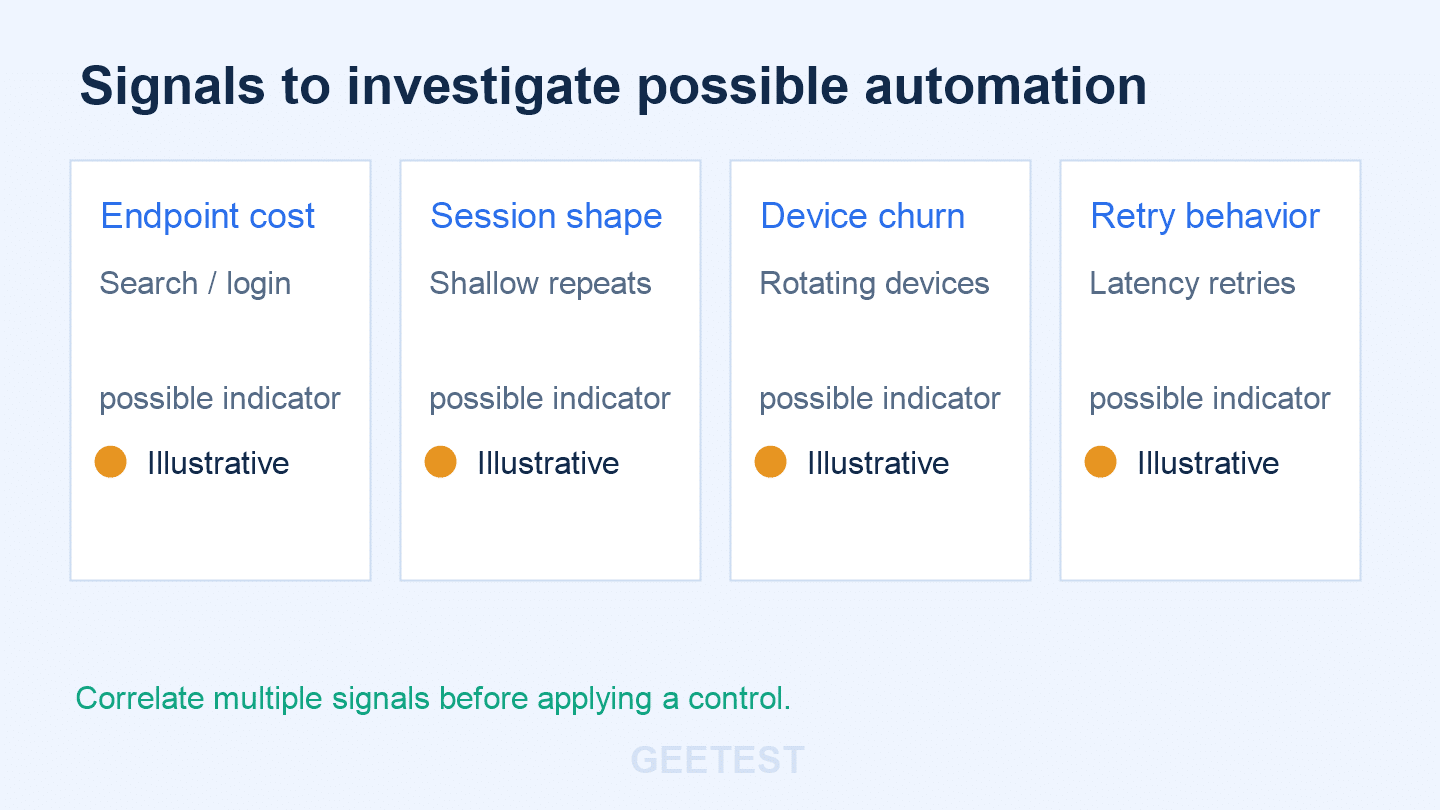
Start with the request shape, not an assumption about the actor. Compare a healthy period with the incident window and ask which endpoints, identities, devices, and response paths changed.
| Signal | What it may suggest | Next check |
|---|---|---|
| One or two dynamic endpoints dominate origin time | Expensive business workflow or targeted automation | Trace cost per request and cache-bypass rate |
| High IP churn with repeated headers or session paths | Proxy rotation or scripted clients | Compare device, session and behavior signals |
| Many requests never reach a meaningful page state | Scraping, probing or login automation | Review depth, token use and challenge outcomes |
| Retry volume rises after latency increases | Client retry storm or recovery thundering herd | Inspect retry-after handling and backoff policy |
| Queue occupancy rises while page views stay flat | Background jobs or non-human work | Segment API, worker and browser traffic |
No single signal proves that bots caused an outage. Validate the hypothesis with application traces, origin logs, queue depth, database metrics, cache behavior, and a sample of sessions. The goal is to identify expensive work from untrusted actors before applying a control that could block legitimate users.
How to Respond to an Overloaded Server
1. Stabilize the critical path
Protect health checks, authentication recovery, checkout completion, and other paths needed to restore service. Temporarily reduce non-essential work: disable optional recommendations, lower report frequency, pause bulk jobs, and serve cached or degraded responses where the business can tolerate them. Communicate the incident so clients do not keep retrying blindly.
2. Find the bottleneck and the actor
Correlate latency percentiles with CPU, memory, connection pools, queue depth, database waits, and dependency errors. Break traffic down by endpoint, account state, device, IP network, session behavior, and response code. This is where a reliability team and a security or abuse team should work from the same timeline rather than treating every spike as a capacity problem.
3. Restore service gradually
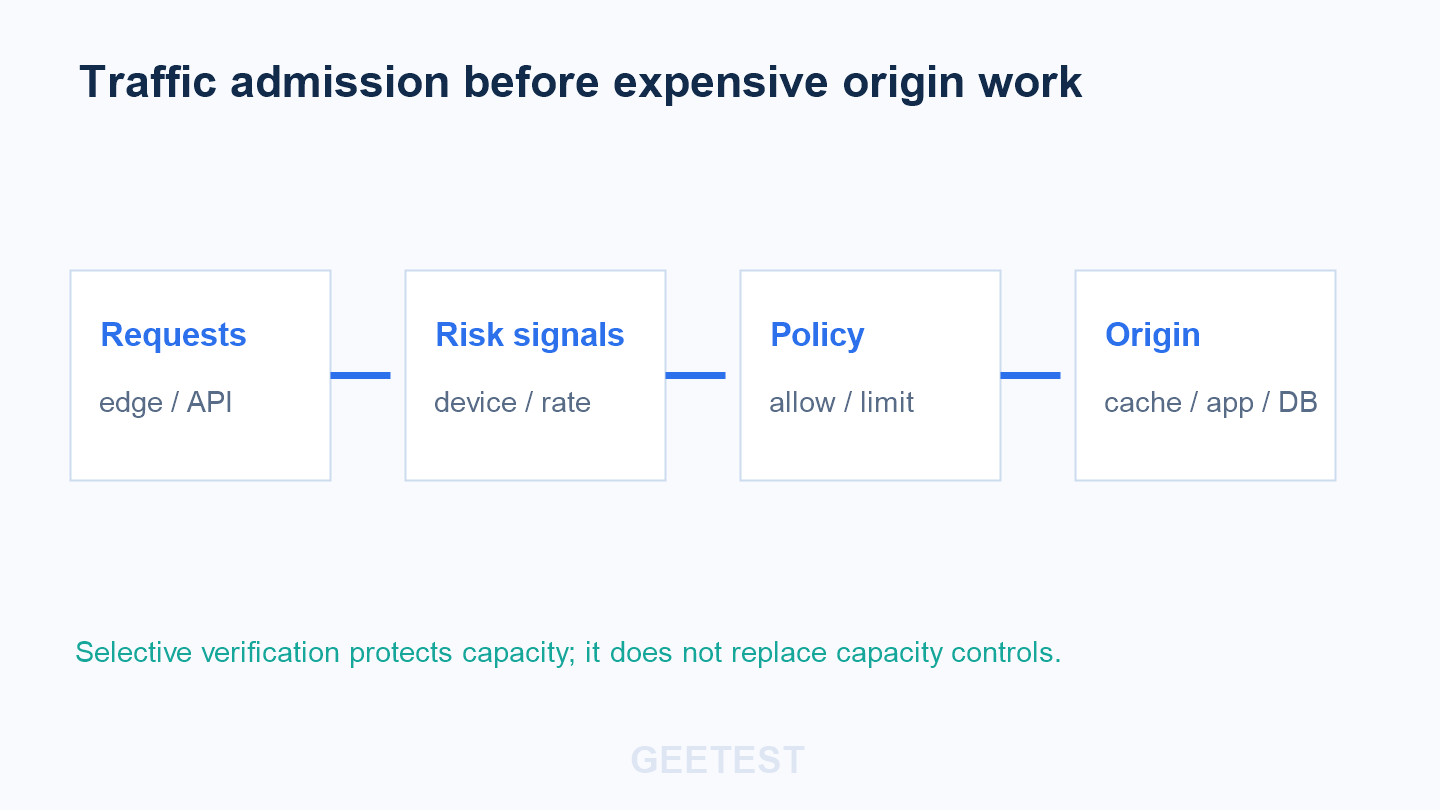
Apply admission controls in front of the expensive path: cache what can be cached, rate-limit abusive clients, queue bursty traffic, and shed work that does not protect revenue or safety. Follow the recovery with a controlled ramp-up. If every client retries at once when the server recovers, the incident can immediately recur.
The web.dev overloaded-server guide describes a similar assess–stabilize–prevent lifecycle. The implementation details vary, but the sequence is valuable: create breathing room first, then make a measured diagnosis.
How to Prevent Repeat Server Overload
Prevention is a layered system rather than a single firewall rule:
- Set capacity budgets. Load-test the endpoints that perform search, authentication, inventory, payment, or report generation. Track work per request, not only requests per second.
- Control the edge. Use CDN caching, WAF rules, connection limits, and rate limits to keep avoidable work away from the origin.
- Shape legitimate peaks. For launches or limited inventory, use a queue or waiting room that releases traffic at a rate the backend can actually process.
- Instrument the expensive path. Alert on queue age, dependency latency, error budgets, cache-bypass ratios, and saturation of database or worker pools.
- Design recovery behavior. Return clear retry guidance, use exponential backoff, and prevent clients from replaying non-idempotent actions.
- Review abuse signals. Add a feedback loop from incident response to bot rules, device-risk policy, and endpoint-specific controls.
The OWASP guidance on unrestricted resource consumption is useful for API owners because it frames resource exhaustion as an application-security concern, not only an infrastructure concern.
Where Human Verification Fits in Traffic Control
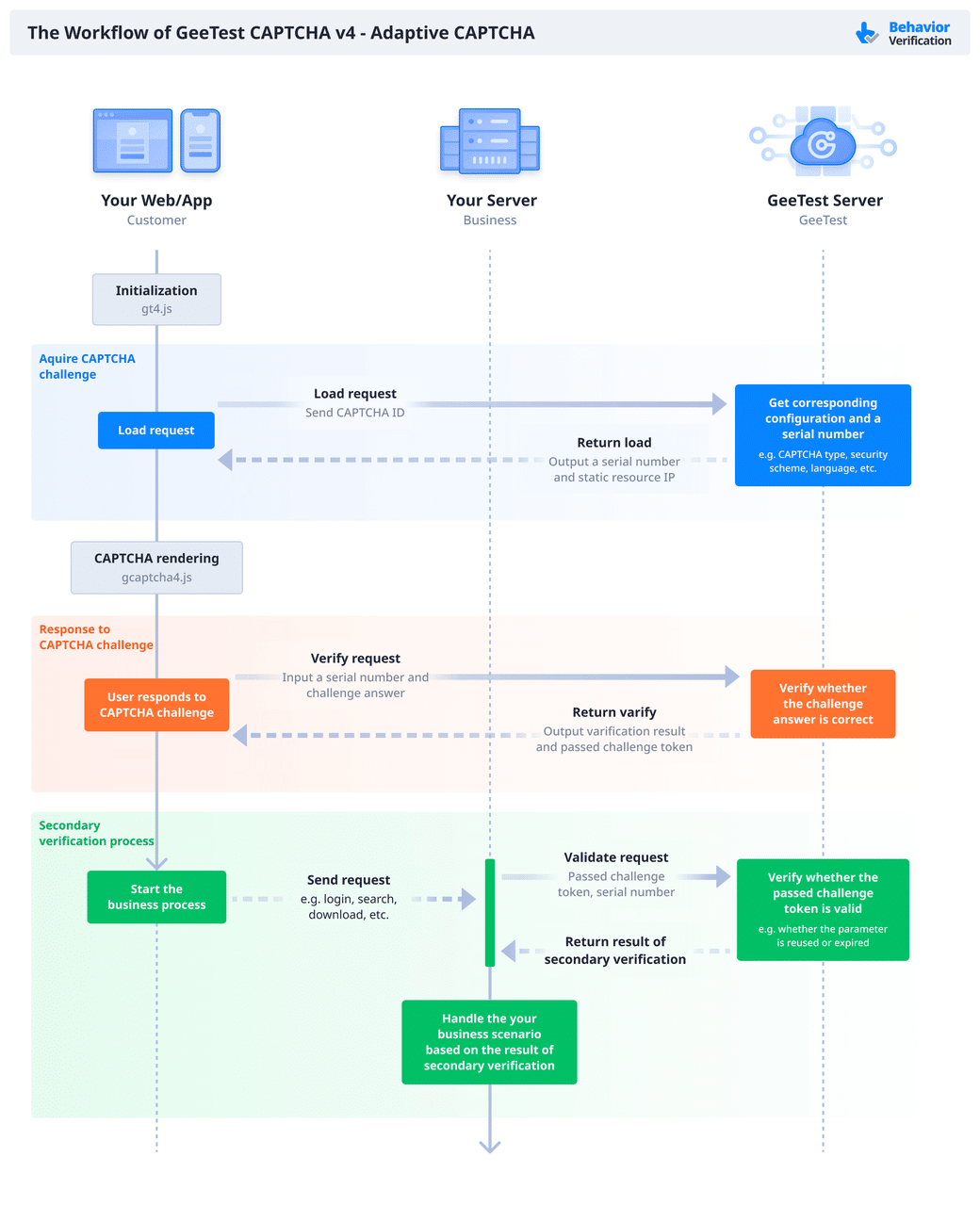
Human verification belongs at the admission layer for risky actions, not as a blanket response to every latency spike. If a request reaches a registration, login, promotion, or checkout workflow with suspicious device or behavior signals, a risk-based step-up challenge can prevent expensive downstream work from being repeated by automation.
GeeTest Adaptive CAPTCHA can be evaluated for that human-verification layer. The right design is selective: allow low-risk users to continue with minimal friction, while asking higher-risk sessions to complete an appropriate challenge before the request invokes costly business logic.
Device context can make that decision more precise. GeeTest Device Fingerprinting can provide device-risk signals that contribute to distinguishing stable device and session patterns from rotating automation. Those signals should feed an organisation’s own policy alongside IP, account, velocity, endpoint cost, and business context; they are evidence for a decision, not proof of identity by themselves.
This is a complement to reliability engineering, not a replacement for it. Adaptive verification will not add database capacity, fix a memory leak, or substitute for queue design. Its value is reducing avoidable, high-cost automated work before it reaches the components that are already under pressure. For implementation planning, see GeeTest’s effective bot detection solution.
A Practical Decision Rule for Overload Response
Scale infrastructure when legitimate work is saturating a known bottleneck. Rate-limit or queue traffic when demand is valid but bursty. Investigate automation when expensive endpoints, shallow sessions, device churn, or retry storms dominate the incident. Add selective human verification only where the risk signal justifies it, and keep measuring false positives and recovery time.
FAQ
1. What does server overload mean?
It means the system is receiving more work than its available resources and dependencies can complete within the required time. The symptom may be slow responses, timeouts, queue growth, or 5xx errors.
2. What should you do first when a server is overloaded?
Stabilize the critical path: reduce optional work, protect essential transactions, add safe rate limits or queueing, and communicate retry guidance. Then correlate traces, saturation metrics, and traffic segments to find the bottleneck.
3. How can you tell whether bots are contributing?
Look for expensive endpoint concentration, unusual device or session repetition, high IP churn, cache bypass, shallow or repetitive journeys, and automation-like retry behavior. Confirm the pattern with logs and traces before blocking traffic.
4. Can CAPTCHA alone prevent server overload?
No. CAPTCHA is one possible risk-control layer. Capacity planning, caching, autoscaling, WAF and rate limits protect the system’s resources; selective verification helps reduce suspicious automated work at high-risk entry points.